
Tachiyomi Extension Repo 2026 – Ultimate Keiyoushi Setup Guide (Free & Safe)
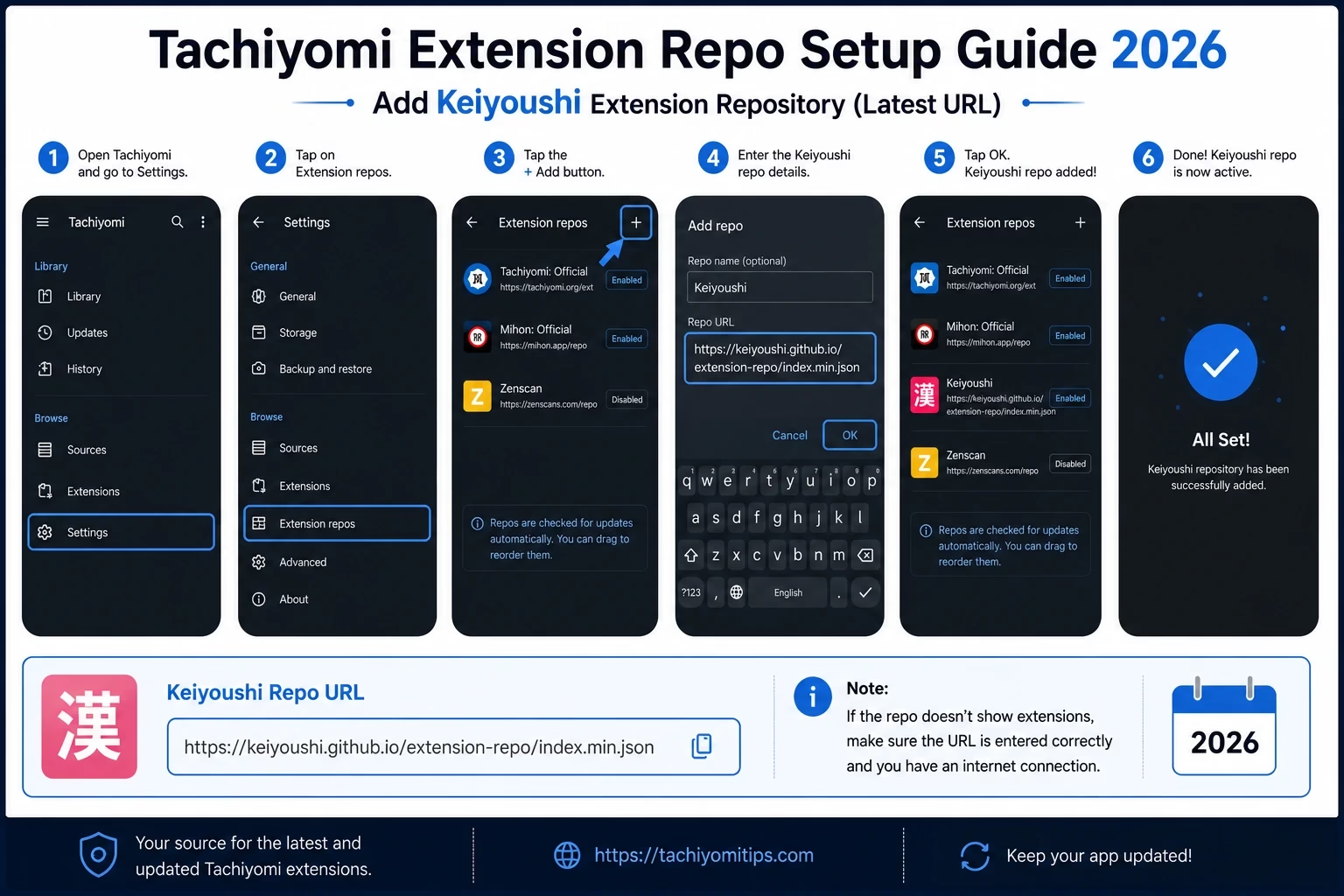
This guide shows the Keiyoushi repository URL, the steps to add it, and fixes for the most common extension errors. Menu names can differ slightly between app versions and forks, so use the checklist below if something looks different on your device.
If your Tachiyomi Extensions tab is completely empty, a missing or broken tachiyomi extension repo is a very common reason. Since the original Tachiyomi extension repository was taken down in early 2024, every reader needs to add a community repository manually before any manga source becomes available. This guide shows the current tachiyomi extension repo URL, explains how to add it, and covers the errors that most often get in the way.
The community solved this problem quickly. The Keiyoushi repository, available on GitHub, became the most widely used replacement. It is a community project and is not an official Tachiyomi repository. It is built for Mihon and its variants, and it supports only some apps, which are listed below. This is the 2026 setup guide.
Quick answer: The Keiyoushi extension repo is the community-run Tachiyomi extension repo that Mihon and some forks use today. It is not an official Tachiyomi repository. The Keiyoushi GitHub page currently lists this URL: https://github.com/keiyoushi/extensions/raw/repo/index.pb. You can also add it from the Keiyoushi add-repo page. In your app, open Settings → Browse, find the extension repo setting (the name can vary, for example Extension repos or Extension stores), add the URL, then refresh the Extensions tab. Keiyoushi only supports up-to-date versions of Mihon, TachiyomiSY and Komikku, so update your app first.
Official Keiyoushi Repository URL (2026)
This is the repository link to use for Mihon extensions, and for other apps that Keiyoushi supports. The easiest way is the Keiyoushi add-repo page, which should open your app and add the repo for you. If you prefer to add it by hand, copy the URL below exactly:
Copy this URL and paste it into your app’s extension repo setting (Settings → Browse → Extension repos or Extension stores):
https://github.com/keiyoushi/extensions/raw/repo/index.pb
Which apps work? The Keiyoushi team says it has dropped support for outdated apps. Its compatibility notice currently lists Mihon 0.20.1 or newer, TachiyomiSY 1.13.2 or newer and Komikku 1.14.1 or newer. If your app is older, update it first. If your app is not listed, menu names may differ and it may not be supported, so check the Keiyoushi Getting Started guide.
Older URL: Many guides, including earlier versions of this one, show https://raw.githubusercontent.com/keiyoushi/extensions/repo/index.min.json. That file is still in the Keiyoushi repo, but the Keiyoushi README no longer lists it as the link to paste. For a new setup, use the add-repo page or the index.pb URL above.
Why the Tachiyomi Extension Repo Is Now Required
Tachiyomi extensions have always been separate add-ons that the app downloads from a repository rather than being part of the main app. In early 2024 the original extension repository went offline, so a fresh install no longer comes with a ready-made source list. Community repositories such as Keiyoushi now fill that gap: you add the repo URL once, and the app reads the extension list from it.
The extension repo system makes this possible. Instead of bundling extensions, the app connects to external repository URLs where the community hosts and maintains extension files. You add a repo URL once, and the app reads the full extension catalog from that source.
Important: Repo URLs from the original Tachiyomi extension repository no longer work. If you see old URLs in your app, remove them and add the current Keiyoushi repo instead. Keiyoushi is a community project and is not affiliated with Mihon or Tachiyomi.
Official Repo vs Keiyoushi Repo
Here’s how the original Tachiyomi repository compares to the Keiyoushi replacement:
| Feature | Original Tachiyomi Repo | Keiyoushi Repo |
|---|---|---|
| Status in 2026 | Shut down (early 2024) | Active |
| Run by | The original Tachiyomi project | Community volunteers |
| Official Tachiyomi repo | Yes (no longer online) | No, not affiliated |
| App support | Old Tachiyomi app | Current Mihon, TachiyomiSY and Komikku |
| Source list | No longer available | Changes over time. See the Keiyoushi listing page |
How to Add the Tachiyomi Extension Repo – Step by Step
The process usually takes a few minutes. Follow each step in order. If a menu name looks different on your device, look for the closest match.
- Update your app first. Keiyoushi currently lists Mihon 0.20.1+, TachiyomiSY 1.13.2+ and Komikku 1.14.1+ as compatible. Older apps may show “Obsolete” on extensions or fail to load the catalog.
- Tap More in the bottom right corner, then Settings, then Browse. Find the extension repo setting. It may be called Extension repos or Extension stores. If you see any old URLs listed, delete them first.
- Tap the add button to add a new repository. A text field will appear.
- Paste the Keiyoushi URL exactly as shown below, then confirm. Even a single missing character can make the add step fail. You can also skip typing and use the Keiyoushi add-repo page.https://github.com/keiyoushi/extensions/raw/repo/index.pb
- Go back to Browse → Extensions and refresh the list. Wait a short time for the catalog to load. If it stays empty, close the app completely, reopen it and refresh again.
- Search for the source you want and tap the download or install button. If the app asks you to trust the extension, confirm it. An extension that is not trusted will not load content.
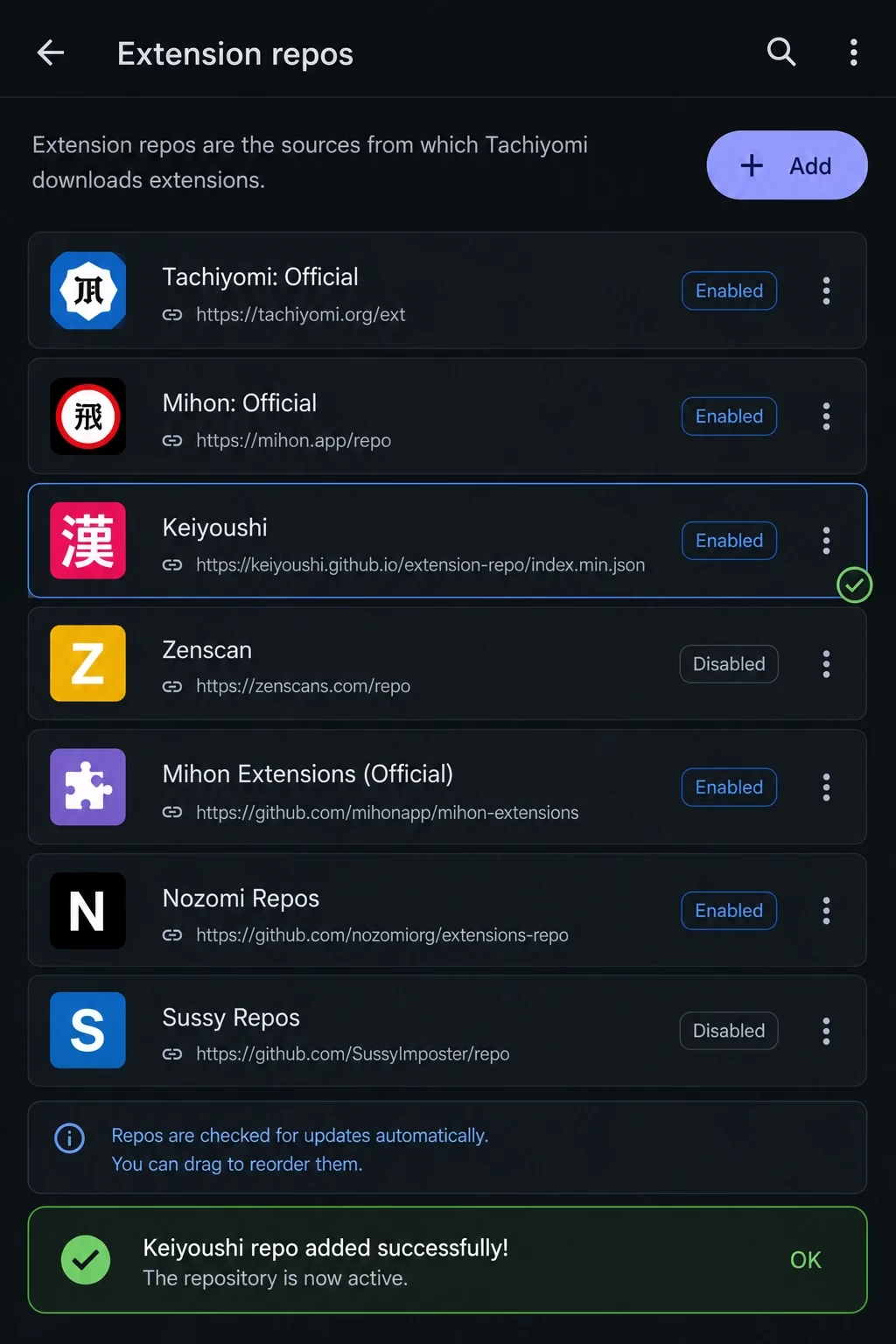
Tip: After adding the repo, refresh the Extensions tab. If nothing shows, close the app completely and reopen it before you refresh again.
How Mihon Extensions Connect to Manga Websites
The app itself doesn’t host any content. Each extension is a small add-on that tells Mihon or Tachiyomi how to read one specific website: how to search, list chapters and load pages.
The repository is only an index. It is a file that lists which extensions exist and where to download them. When you tap Refresh, the app reads that index. When you tap Install, it downloads that extension’s APK. If a manga website changes its layout, the extension has to be updated by its maintainers, which is why one source can break while the repo itself still works fine.
Tachiyomi Extensions on GitHub – What You Need to Know
Keiyoushi uses two separate GitHub repositories, and mixing them up causes a lot of confusion. One is the extension repository (catalog) that your app reads. The other is the source code repository where developers write and fix extensions.
| Where | What It Is | What It Means for You |
|---|---|---|
| keiyoushi/extensions | The extension repository (catalog) | This is what your app reads when you add the repo URL |
| keiyoushi/extensions-source | The extension source code | Developers can see how each source works |
| Issues in extensions-source | Issue tracker | Report a broken source or check if a fix is already in progress |
| Pull requests | Contributions | Volunteer developers can add or fix sources |
| Listing page | Website list of extensions | Browse sources, or download extensions manually if your app is not supported |
Most readers never need to visit GitHub directly. Adding the Keiyoushi repo URL to your app handles everything. Keiyoushi’s work is volunteer-based, so a fix is not guaranteed on a fixed schedule, and some sources may be too hard to maintain.
Other Tachiyomi Extension Repositories in 2026
Keiyoushi is the main extension repo most readers need. Other repositories exist, but we have not reviewed them all, so only add one you trust and need.
Yuzono’s project says it automatically merges Keiyoushi updates and adds a few extensions of its own, including some that work better with Komikku’s Suggestions feature. Unless you need something like that, Keiyoushi alone is the simpler choice.
Best Tachiyomi Extensions Available Through the Repo
Looking for the top sources to install? See our 20 Best Tachiyomi Extensions ranked list for 2026. Source availability changes over time, so check the Keiyoushi listing page for what is currently offered.
Tachiyomi Extensions Revived – What This Means
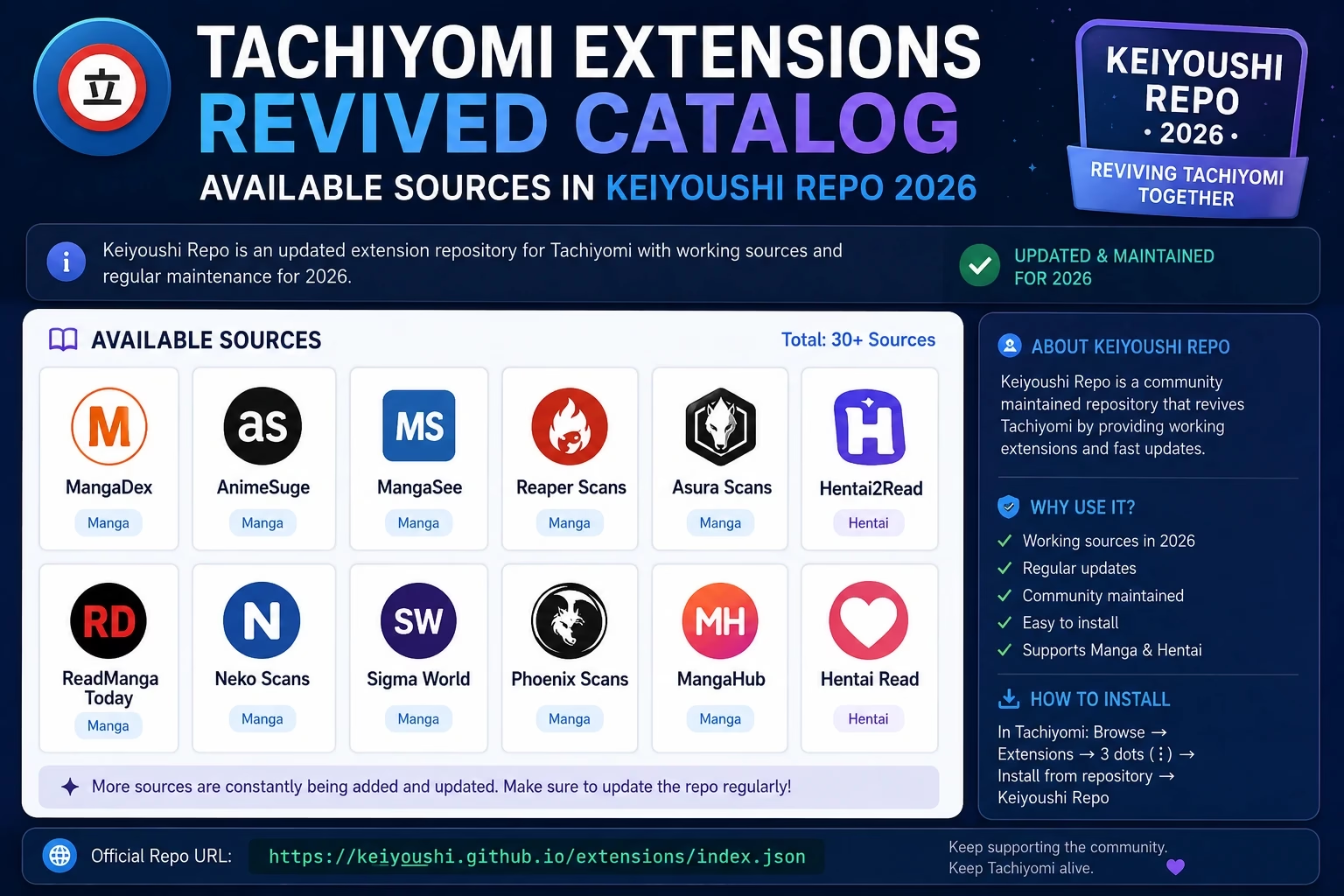
When people search for tachiyomi extensions revived, they usually mean the Keiyoushi project. After the original extension repository went offline in 2024, the community rebuilt a shared extension catalog under Keiyoushi. Many sources people knew from before were brought back by volunteer developers, but the list changes over time and not every source is guaranteed to exist or work.
Broken sources are fixed by volunteers through GitHub, and Keiyoushi notes that some sources may be too hard to maintain. Timing varies depending on the source and how much the website changed.
Common Tachiyomi Extension Repo Errors and Fixes
Repository Verification Checklist
- Your app is a current, compatible version (for example Mihon 0.20.1+, TachiyomiSY 1.13.2+ or Komikku 1.14.1+).
- The URL is copied exactly as
https://github.com/keiyoushi/extensions/raw/repo/index.pb, with no spaces before or after it. Or you used the add-repo page. - After you add it, the URL appears in the extension repo list. Remove any old or unknown repo URLs.
- Go to Browse → Extensions, refresh, and wait for the list to load.
- If the list is still empty, close the app completely, reopen it and refresh again.
- The
.pbfile is not plain text, so your browser may download it instead of showing it. That is normal. If the page fails to load at all, the problem may be your connection or network. Try another network. - If the link gives a “not found” error, check the Keiyoushi GitHub page in case the repo address has changed.
| Error You See | Most Likely Cause | Fix |
|---|---|---|
| Extensions tab completely empty | No repo URL added yet | Add the Keiyoushi URL above |
| Failed to fetch available extensions | Old or invalid repo URL, or an outdated app | Update the app, delete old URLs, add Keiyoushi again |
| Repo URL refused to add | Typo or extra space in the URL, or unsupported app | Copy the URL again, or use the add-repo page |
| “Obsolete” label on extensions | Your app is not the latest compatible version | Update your app |
| “Orphaned” label on extensions | Extension was removed or replaced, or the repo is outdated | Check the Keiyoushi listing page. If all are Orphaned, remove all repos, add Keiyoushi again, refresh |
| Extensions load but show no manga | Extension may be untrusted or outdated | Check the trust prompt, then update the extension |
| Specific source stopped working | Website changed structure | Update the extension in the Browse tab, or check the Keiyoushi issues page |
| Repo times out when adding | Weak connection or network block | Try stable WiFi and retry once |
| Extensions disappeared after an app update | Repo settings may have reset | Re-add the Keiyoushi repo |
What If the Repo Still Fails?
First, remove all repo URLs in your app, then visit the Keiyoushi Getting Started guide or the add-repo page and use the add repository button, which should add Keiyoushi to a compatible app automatically. Then refresh the Extensions tab. If extensions still show as Orphaned, uninstall the old extensions from your device’s app list and install them again. If it still fails, check the issues page on GitHub or ask in the Keiyoushi Discord support channel. If your region restricts GitHub access, a different network may help.
Same Repo URL for Mihon and Compatible Forks
A common question is whether the tachiyomi extension repo URL works in other apps. Keiyoushi lists specific supported apps, so do not assume every fork works. Here is what Keiyoushi currently lists, and what it does not:
Menu names and steps can differ between apps and versions. For a comparison of available forks, the Tachiyomi forks guide covers each one with its features and differences.
Frequently Asked Questions
The most widely used community Tachiyomi extension repo is Keiyoushi. It is not an official Tachiyomi repository. The Keiyoushi GitHub README currently lists this URL: https://github.com/keiyoushi/extensions/raw/repo/index.pb. You can also add it from keiyoushi.github.io/add-repo. Add it in your app’s Browse settings, in the extension repo or extension stores setting.
The original Tachiyomi extension repository went offline in early 2024, so old URLs from it no longer work. Your app may also be too old, because Keiyoushi has dropped support for outdated apps. Update to a supported app, remove old repo URLs and add the Keiyoushi repo again.
Keiyoushi is a widely used community-maintained extension repository. Its code is public on GitHub. Open source does not guarantee that every extension has been audited, and Keiyoushi is not affiliated with Mihon or Tachiyomi, so install only the sources you need.
Yes. Keiyoushi is built for Mihon and its variants. Its compatibility notice currently lists Mihon 0.20.1 or newer. Menu names can differ between apps, so follow the steps for your app.
You can add more than one repository, but most users only need Keiyoushi. Extra repos can cause duplicate sources and confusion about which one is updating an extension. Add another repo, such as Yuzono for Komikku users, only if you need something Keiyoushi does not offer.
People use this phrase for the Keiyoushi project, which rebuilt a community extension catalog after the original Tachiyomi extension repository went offline in 2024. The list of sources changes over time, and work is volunteer-based, so check the Keiyoushi listing page for what is currently available.
The extension catalog is at github.com/keiyoushi/extensions. The source code of the extensions is a separate repository at github.com/keiyoushi/extensions-source, which is also where you report broken sources.
This error usually means no valid repository is connected, or your app is too old. Update to a supported app, remove all old repo URLs in Browse settings, add the Keiyoushi repo again, then refresh the Extensions tab.
After adding the repo, refresh the Extensions tab. If the list is still empty, close the app completely, reopen it and refresh again.
Not necessarily. Keiyoushi currently lists Mihon 0.20.1 or newer, TachiyomiSY 1.13.2 or newer and Komikku 1.14.1 or newer as compatible. Other forks are not listed, so check the Keiyoushi Getting Started guide before relying on them.
Go to Browse > Extensions in your app. Extensions with updates show an Update button. If an extension is labeled Obsolete, your app is not the latest compatible version.
Per Keiyoushi’s compatibility notice, Obsolete means your app is not the latest compatible version. Orphaned can mean the extension was removed or replaced. If all extensions are Orphaned, remove all repo URLs, add Keiyoushi again, refresh, and reinstall the extensions if needed.
Summary: Tachiyomi Extension Repo 2026
For most readers, the key step in 2026 is adding the Keiyoushi tachiyomi extension repo through the add-repo page or the URL in the Keiyoushi README, under Settings → Browse in a compatible app. Keiyoushi is a community project and not an official Tachiyomi repository, and it supports up-to-date versions of apps such as Mihon, TachiyomiSY and Komikku.
If an extension breaks, update your app and the extension first, then check the Keiyoushi issues page, since fixes depend on volunteers. For the full list of available sources, see the Tachiyomi extensions guide. To switch to an actively maintained app, the Mihon guide explains the migration.