
Tachiyomi APK Download – Free Manga Reader for Android (2026)
Download Tachiyomi APK v0.15.3, the final official release of the original project, to read manga, manhwa, and webtoons from multiple sources in one app. Enjoy offline reading, customizable reading modes, library management, and compatible extension support on Android.
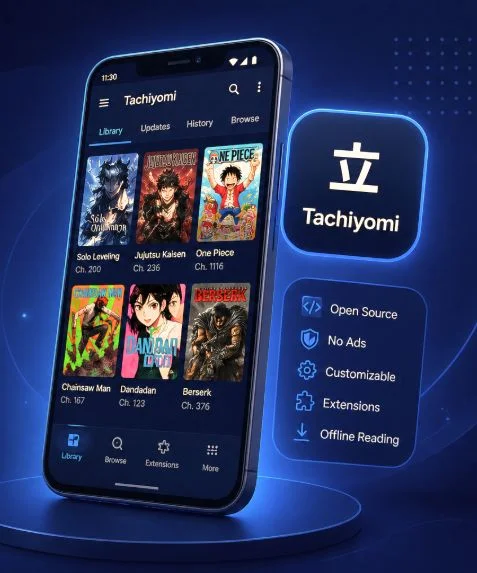
Looking for a manga reader for Android after Tachiyomi’s original project was discontinued? Tachiyomi remains an option for readers who want to organize and read manga, manhwa, and webtoons in one place.
Its features include offline reading, library management, customizable reading modes, and tracker integration with services such as AniList, MyAnimeList, and Kitsu, depending on compatibility.
Does Tachiyomi still work in 2026? Version 0.15.3 was the final official release of the original project in 2024. It may still work on compatible Android devices, but it no longer receives official updates or support. Explore our guides for installation, extensions, troubleshooting, and alternatives.
Tachiyomi APK Info

What is Tachiyomi?
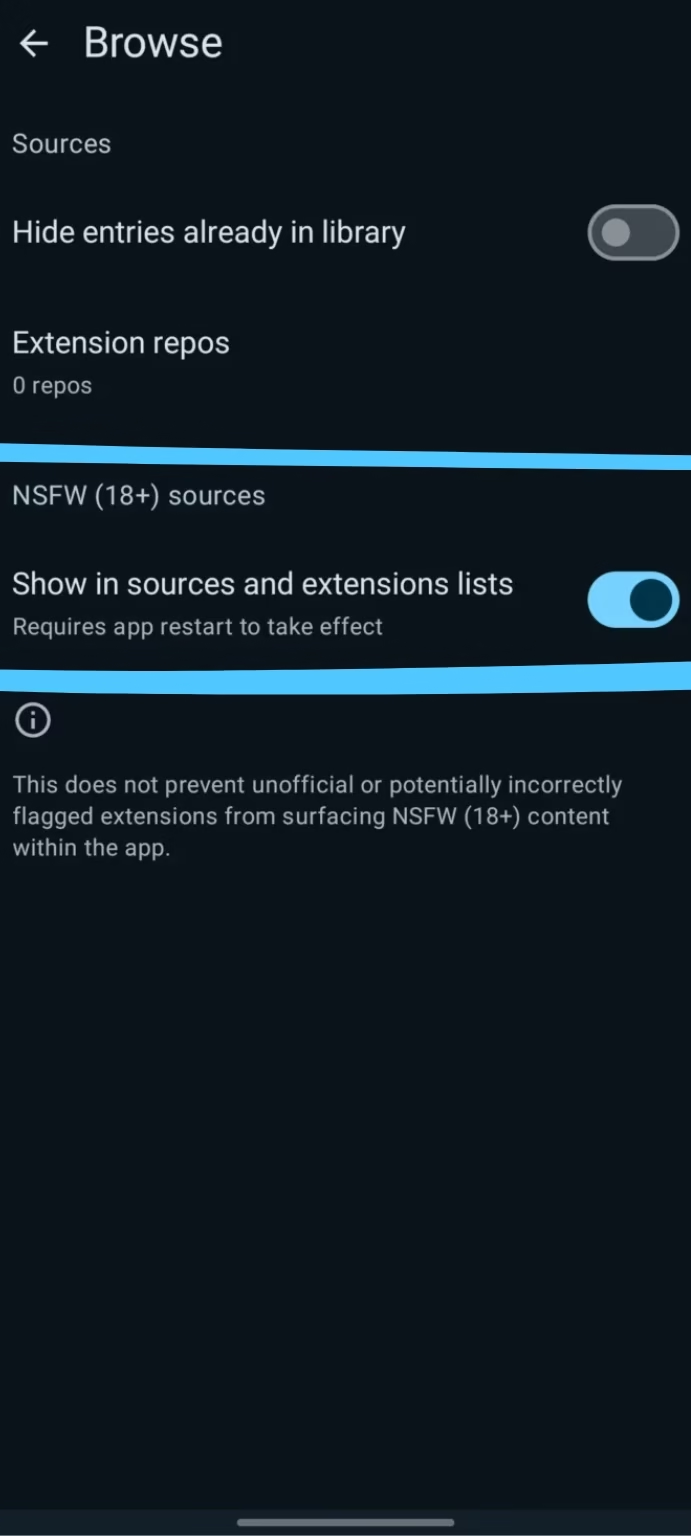
Tachiyomi is a free, open-source manga reader for Android that helps users organize and read manga, manhwa, manhua, comics, and webtoons from supported online sources. The app does not host reading content itself. Instead, users can connect compatible extensions to access sources and manage their collections in one place. Explore our Tachiyomi Extensions and Source Extensions guides to learn more.
Originally created by Inorichi, Tachiyomi grew through contributions from an open-source developer community. Its customizable reading experience, library management, and extension support helped make it a popular choice among Android manga readers.
The original Tachiyomi project was discontinued in January 2024, and version 0.15.3 was its final official release. It no longer receives official updates. Readers looking for actively maintained alternatives can explore community-maintained Tachiyomi forks, including Mihon. For information about anime-focused features, see our Tachiyomi Anime guide.
Tachiyomi App Screenshots (2026 Updated)
Why Choose Tachiyomi?
Choosing the right manga reader is about more than simply reading manga. it’s about finding an app that fits your preferences. Tachiyomi gives you the freedom to customize your reading experience without intrusive ads or unnecessary restrictions. Whether you enjoy manga, manhwa, manhua, or webtoons, it adapts to your reading style, making it a trusted choice for both new and experienced readers
Key Features of Tachiyomi APK
Tachiyomi is designed to give manga readers a faster, cleaner, and more flexible reading experience on Android. As a free and open-source application, it combines powerful tools that help you discover, organize, and enjoy manga, manhwa, manhua, comics, and webtoons without unnecessary limitations. Below are the key features that have made Tachiyomi a trusted choice for millions of readers worldwide.
Free, Open Source & Ad-Free
Tachiyomi is free and open source, allowing anyone to inspect its code, contribute improvements, and verify how the app works. Unlike many Android manga readers, it delivers a clean, ad-free experience without subscriptions or hidden charges, making reading more enjoyable and distraction-free.
Access 100+ Manga Sources
Instead of hosting manga on its own servers, Tachiyomi connects to community-developed extensions that provide access to different manga catalogs. Readers can install trusted sources such as MangaDex and Mangakakalot, making it easy to discover manga, manhwa, and webtoons from one app.
Fully Customizable Manga Reading
Tachiyomi’s reading style is fully customizable, creating a comfortable, personalized reading experience where readers can customize themes, page layouts, and reading modes to suit their preferences.
Offline Reading Support
Download individual chapters or entire series to your device and enjoy uninterrupted reading without an internet connection. This feature is ideal for travelling, commuting, or any situation where network access is limited.
Library Management
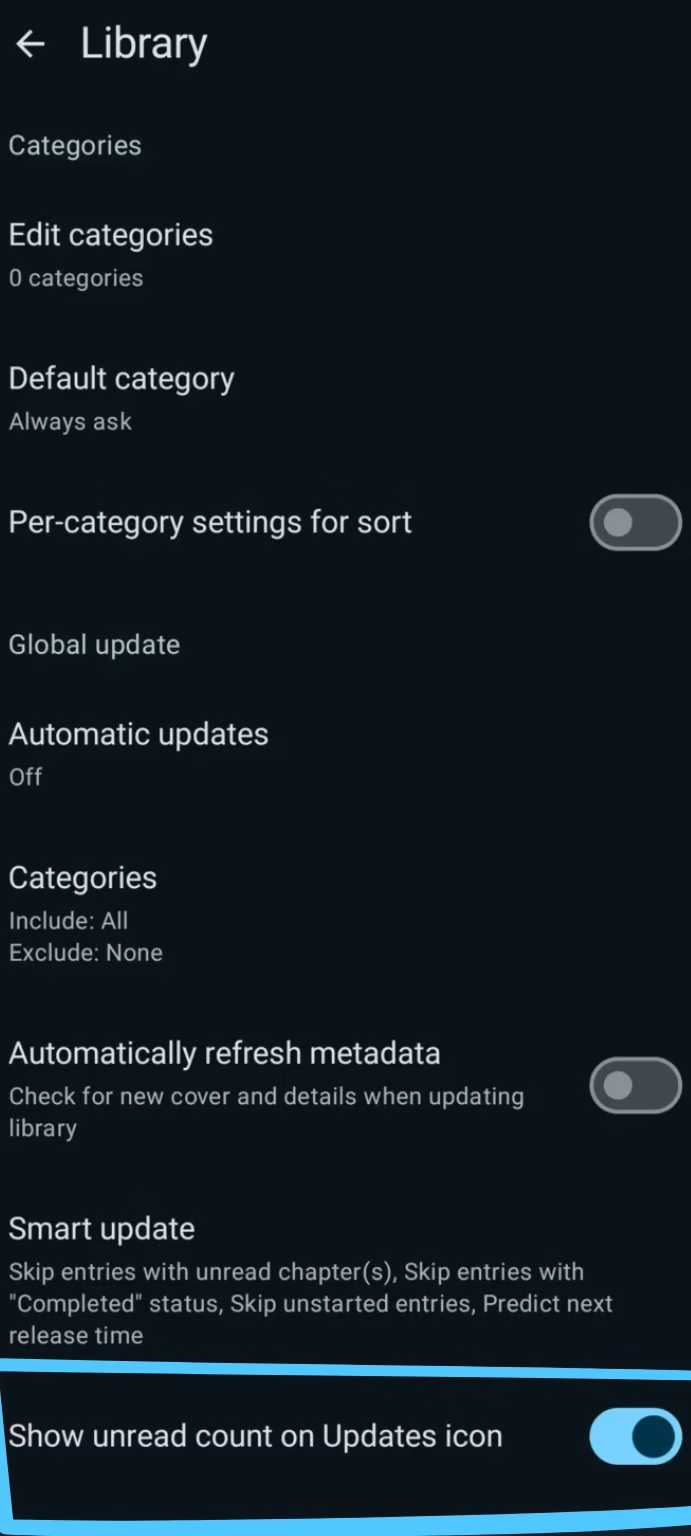
The built-in library helps keep your manga collection organized with custom categories, filters, and sorting options. Whether you follow a few series or hundreds, finding and managing your favorite titles remains quick and simple.
Tracker Integration
Track your reading progress across services like MyAnimeList, AniList, and Kitsu. Synchronizing your library ensures your reading history stays updated, making it easy to continue where you left off across supported platforms.
Backup & Restore
Tachiyomi includes a built-in Backup & Restore feature that helps protect your manga library, categories, reading history, and tracker data. You can create a backup file in just a few taps and restore it later when switching to a new Android device or reinstalling the app. This ensures your personal collection remains safe without starting from scratch.
Automatic Chapter Updates
Never miss a new release with Tachiyomi’s automatic chapter update feature. The app regularly checks your installed manga sources for newly published chapters and notifies you when updates are available. This makes it easy to stay up to date with ongoing manga, manhwa, and webtoon series without manually checking every source.
Inside Tachiyomi: App Interface Overview
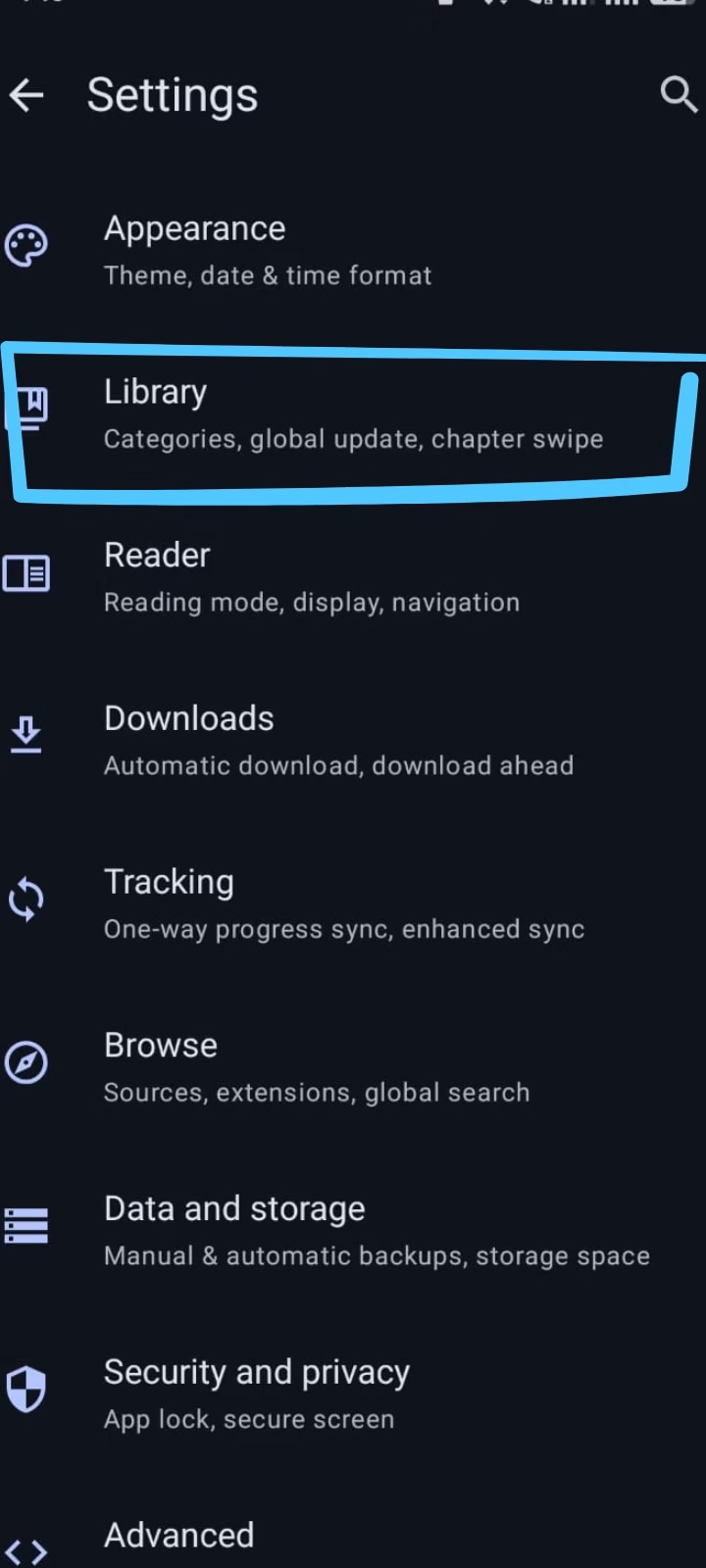
After installing Tachiyomi, you’ll find a clean and intuitive interface designed to make manga reading simple and organized. The app is divided into four main sections: Library, Browse, Settings, and Downloads, each helping you manage your collection, discover new content, customize your experience, and read offline. The overview below explains how each section works.
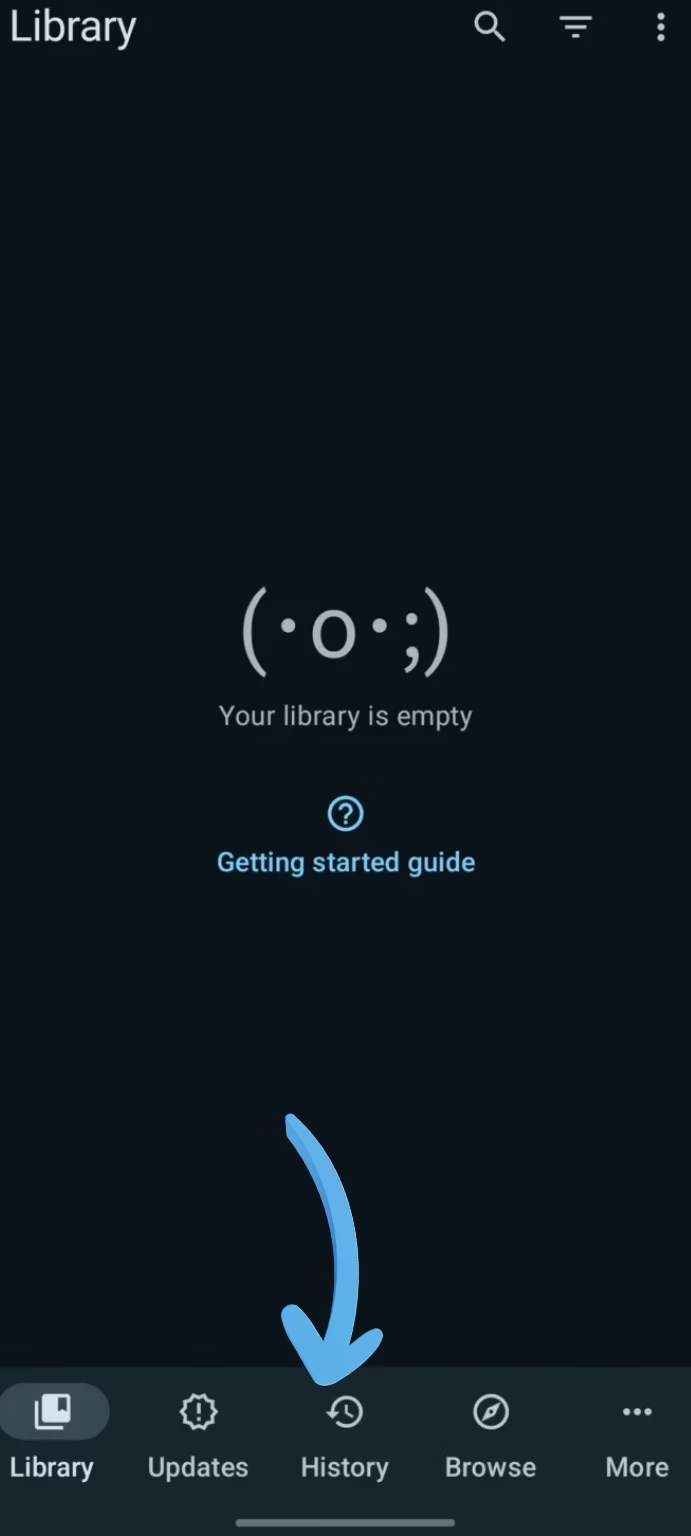
Keep Every Manga, Manhwa, and Webtoon Organized in One Library
Every manga, manhwa, and webtoon you add through community extensions appears here, making it easy to organize your entire collection from one place.
- Filter by status – quickly switch between Downloaded, Unread, and Completed titles.
- Grid or List View – browse your library in the layout you prefer.
- Custom Categories – organize series into groups like Currently Reading, Favorites, or Completed.
- Download Indicators – instantly see which chapters are available for offline reading.
Find New Manga Through Sources and Extensions
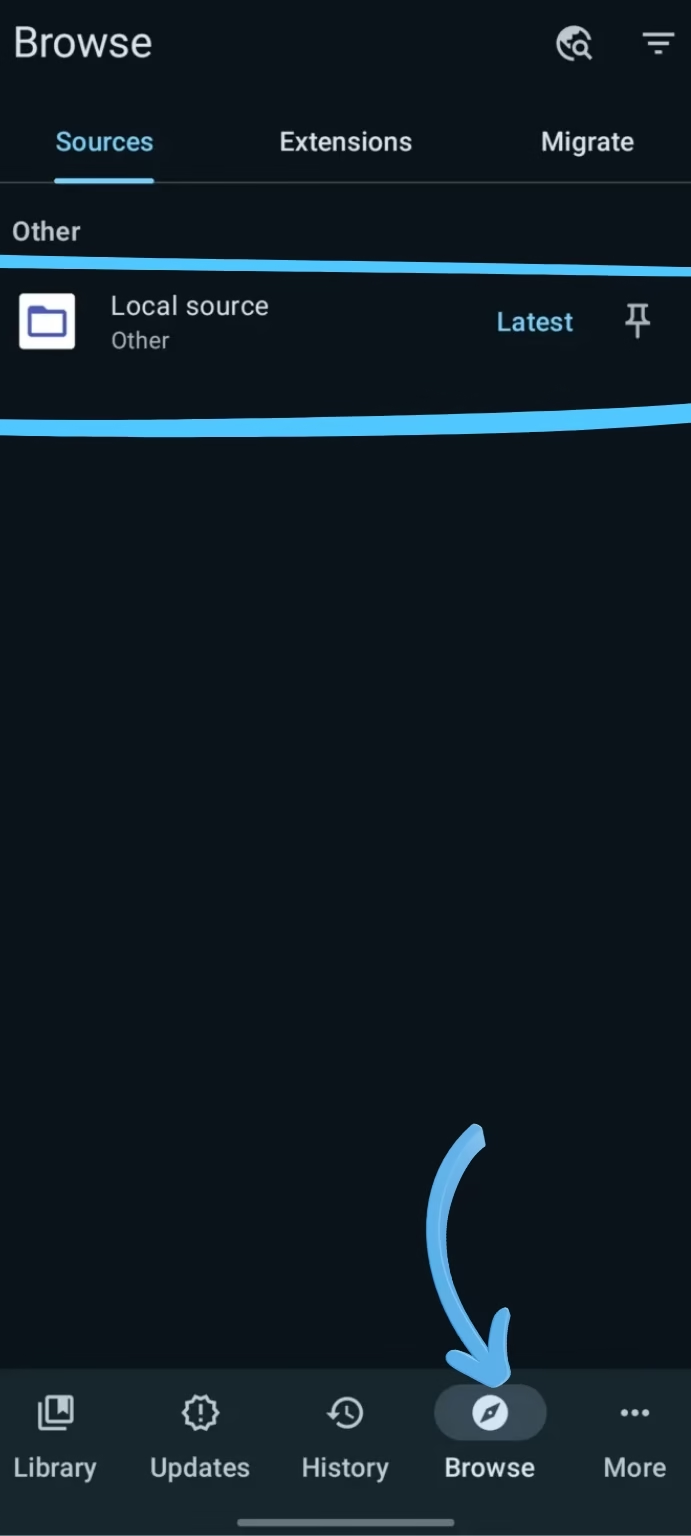
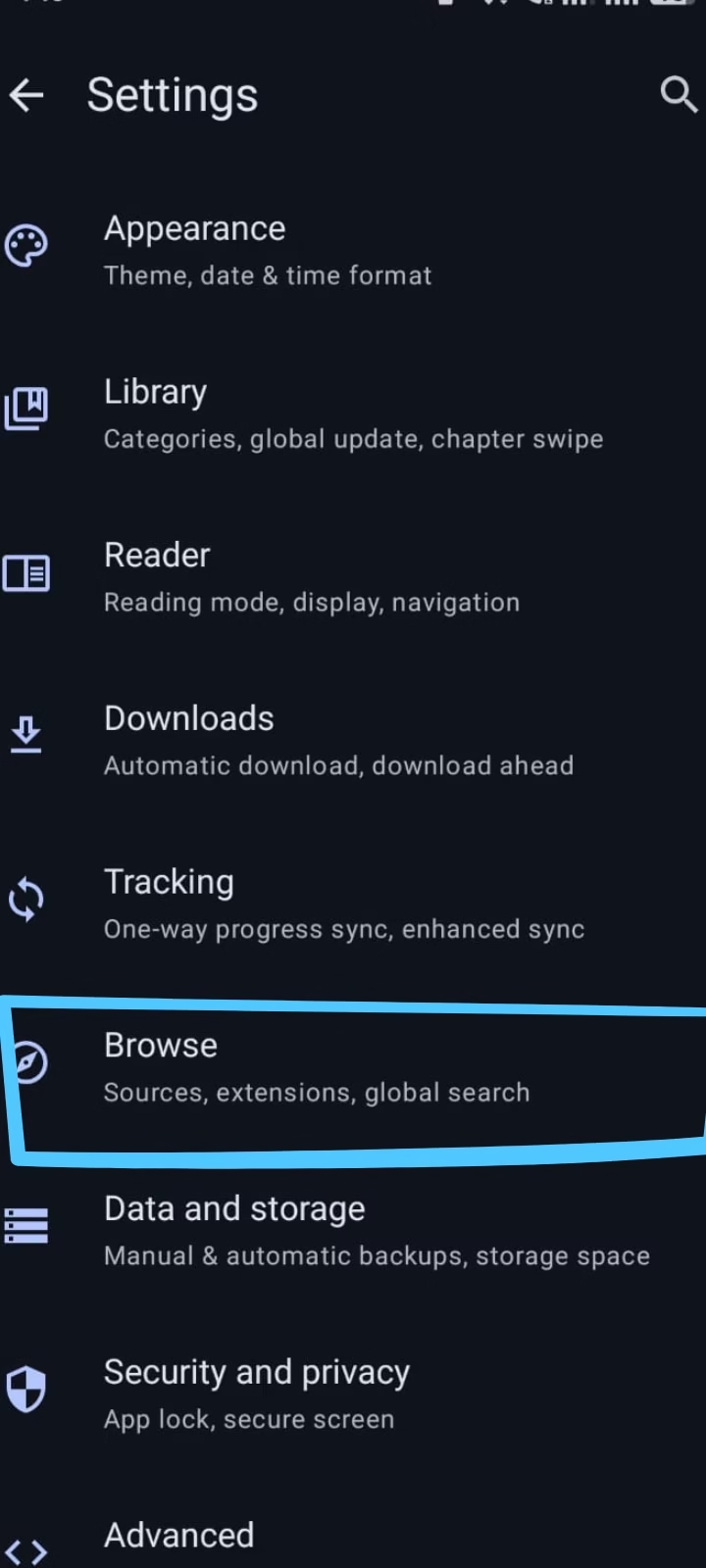
The Browse section is where Tachiyomi connects to community-supported extensions and online manga sources. From here, you can discover new manga, manhwa, and webtoons, install trusted extensions, and manage available sources. If you’re looking for the best extensions or need help adding a repository, explore our Tachiyomi Extensions guide and Tachiyomi Extension Repository tutorial.
- Sources – jump straight into any installed extension to search its full catalog.
- Extensions – install, update, or remove manga sources in a few taps.
- Migrate – move an existing title’s chapters to a different source without losing your reading history.
Fine-Tune Tachiyomi to Match How You Read
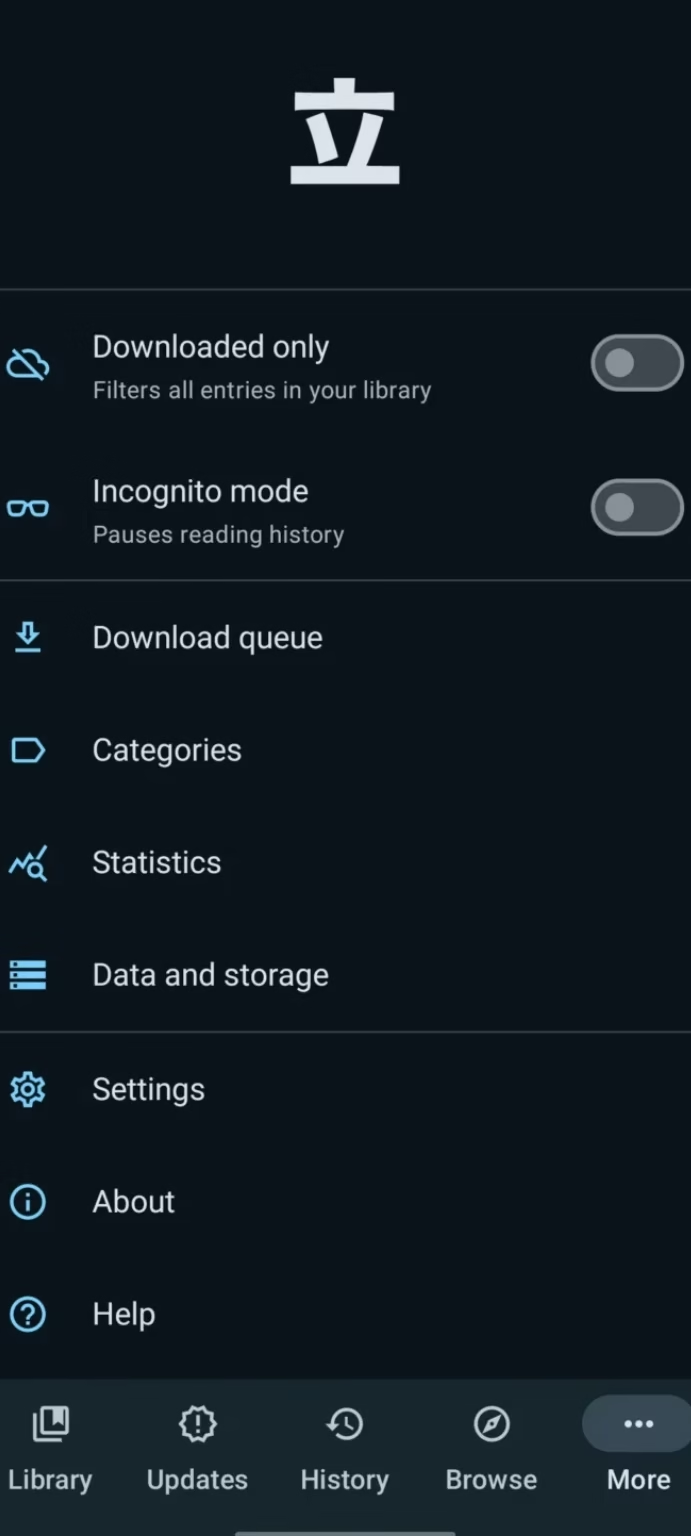
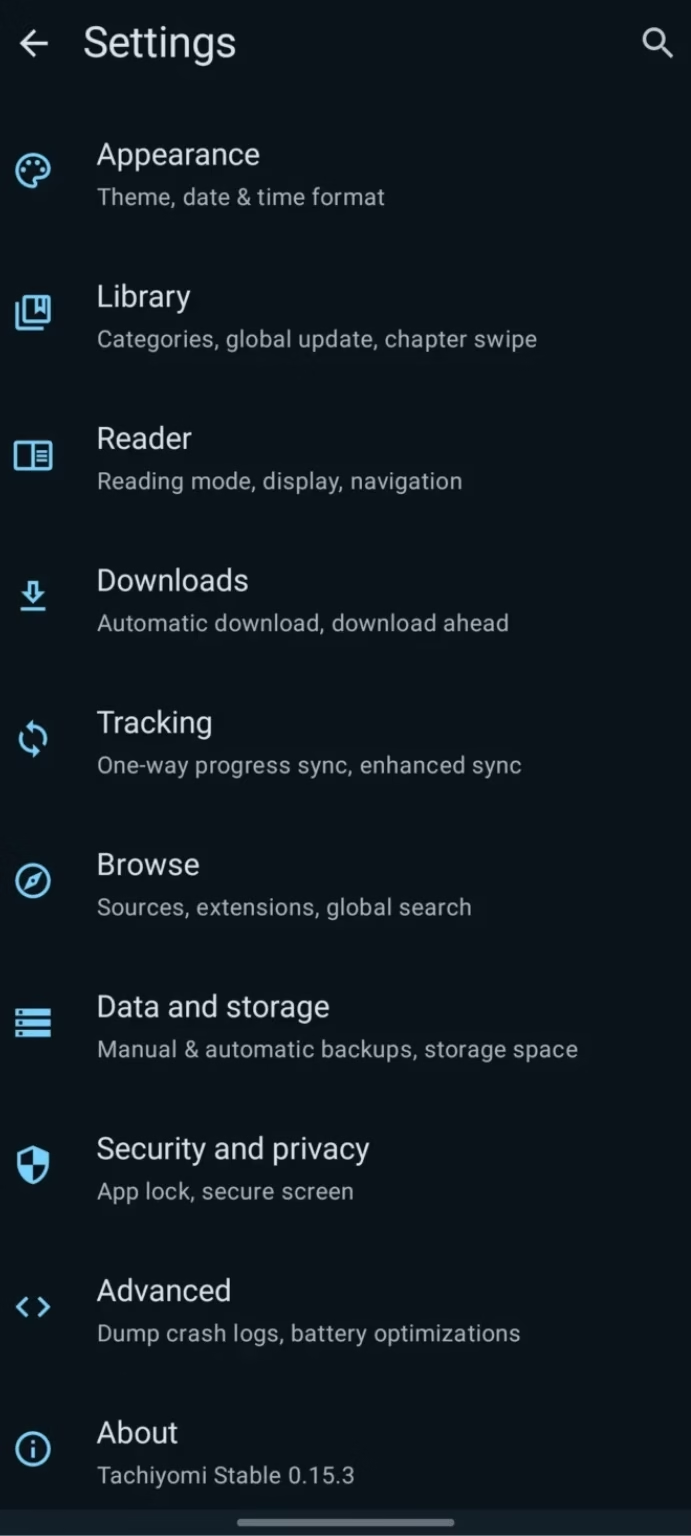
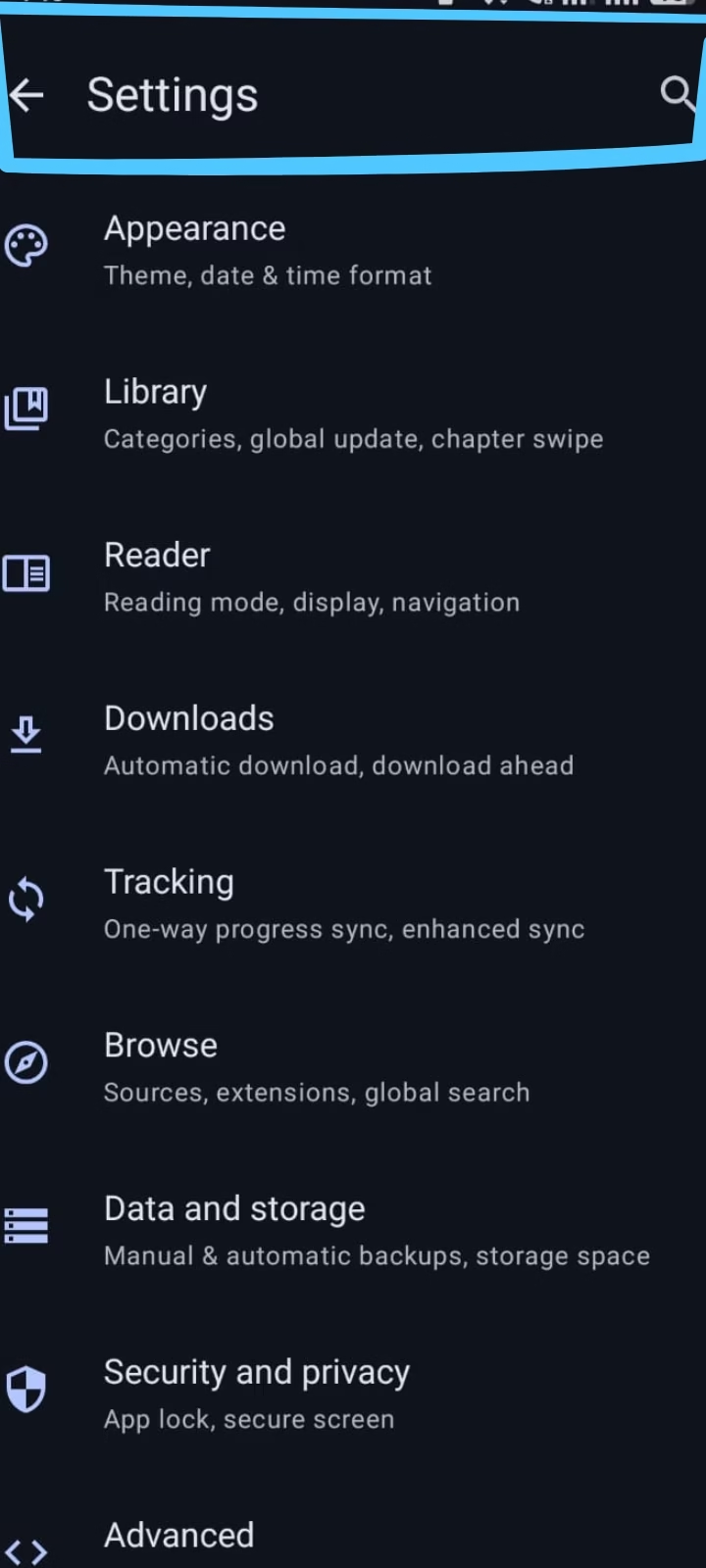
The Settings section lets you personalize how Tachiyomi works on your Android device. From privacy controls and download preferences to backup management and reader customization, everything can be adjusted from one place. Additionally, if you’re moving from the discontinued Tachiyomi project, you can also migrate your library to Mihon.
- Incognito Mode – browse and read without adding anything to your history.
- Download Queue – see every chapter waiting to download, and pause or resume anytime.
- Downloaded Only – filter your library to show just the chapters saved on your device.
- Backup & Restore – save your entire library to a file so nothing is lost when switching phones.
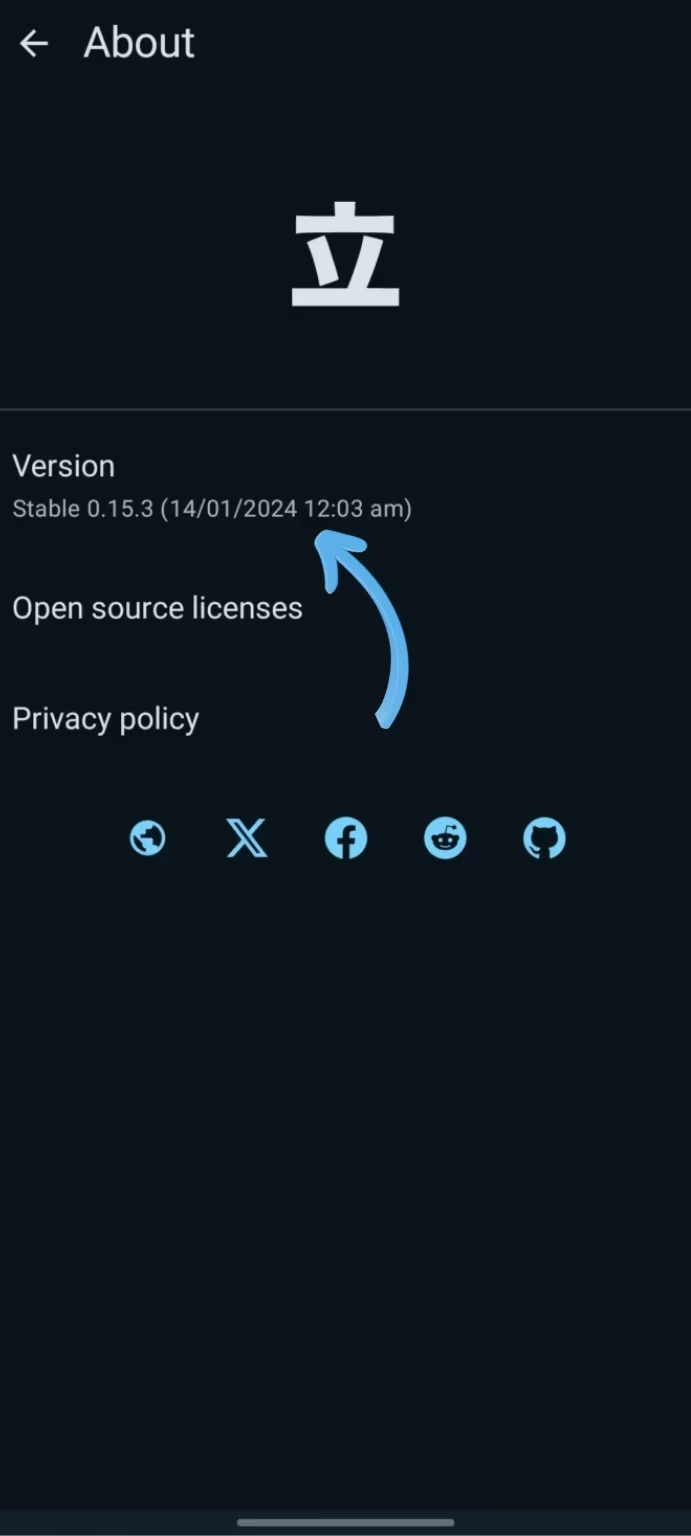
- Help & About – quick access to troubleshooting info and app version details.
Save Chapters and Read Without an Internet Connection
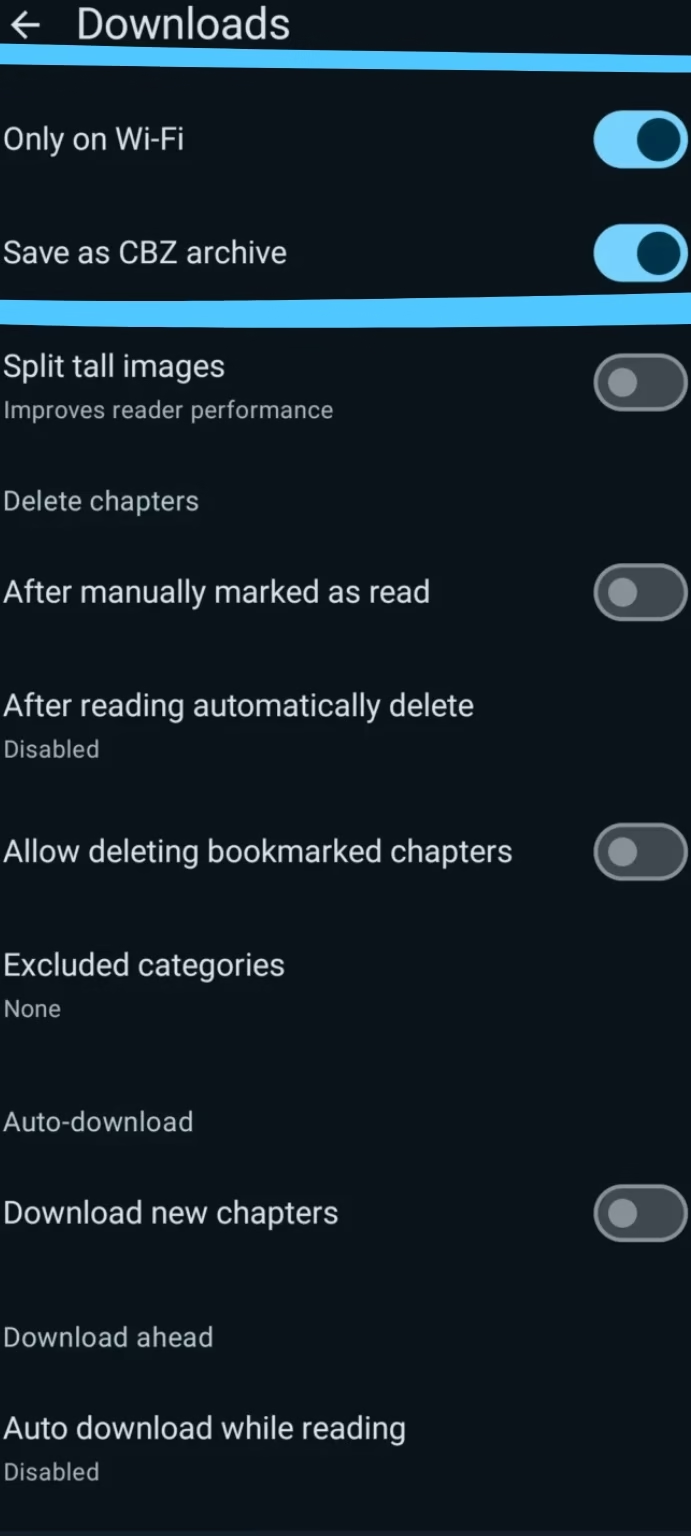
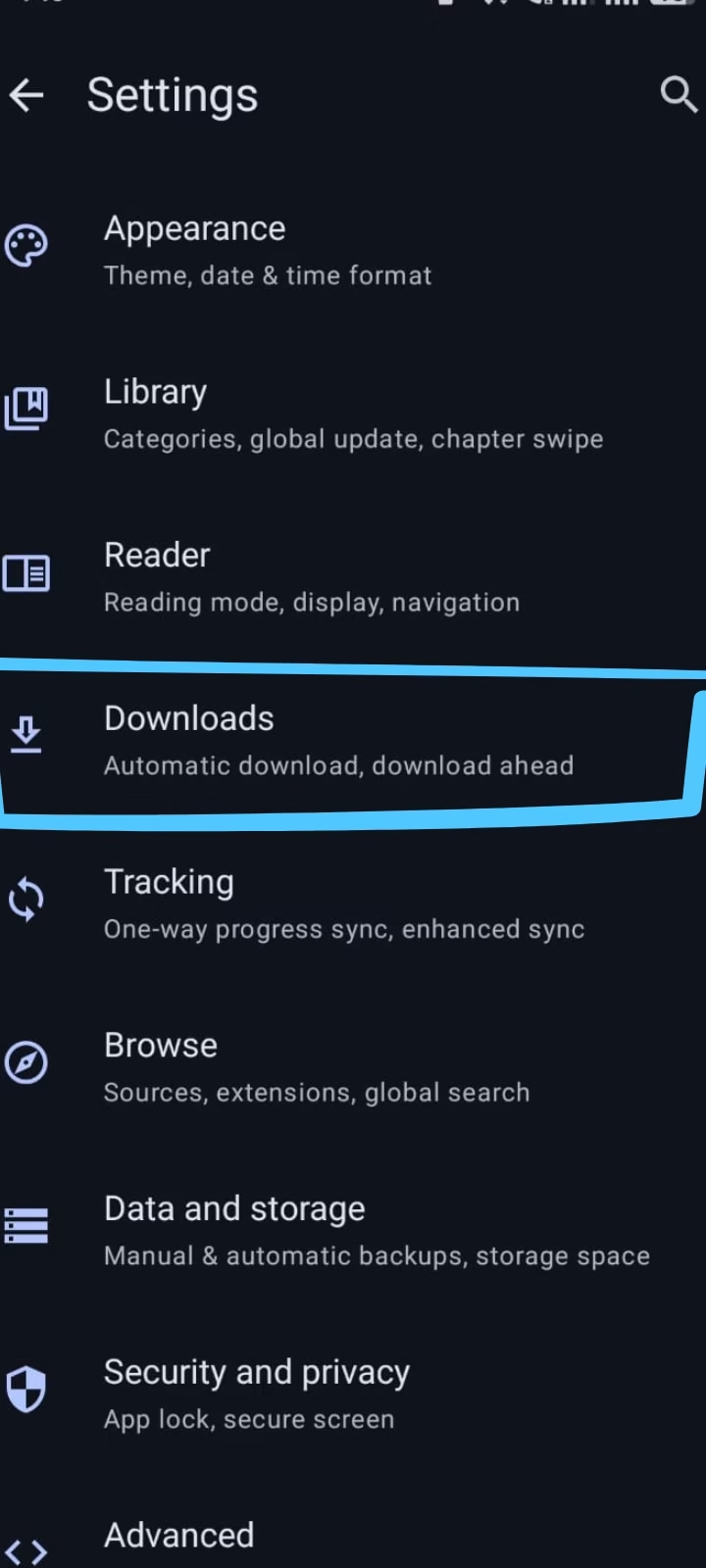
Download individual chapters, complete volumes, or entire manga series for offline reading. Whether you’re travelling, commuting, or have limited internet access, your downloaded content remains available anytime without an active connection.
- One-tap downloads – save a single chapter or queue up several at a time.
- Auto-download – automatically fetch new chapters as soon as they’re released.
- Storage friendly – delete read chapters individually to free up space anytime.
- Offline-first reading – downloaded titles open instantly, even with no signal.
Reading Modes in Tachiyomi
Tachiyomi offers multiple reading modes to match different types of content and personal reading preferences. Whether you’re reading traditional Japanese manga, Korean manhwa, Chinese manhua, Western comics, or vertically scrolling webtoons, you can switch between different layouts for a more comfortable reading experience. Reading modes can be applied globally or customized for individual series directly from the reader settings.
| Reading Mode | Best For |
|---|---|
| Left to Right | Ideal for Western comics and translated manga that follow a left-to-right reading order. |
| Right to Left | Best for traditional Japanese manga, preserving the original page and panel sequence created by the artist. |
| Vertical (Webtoon) | Designed for Korean manhwa and webtoons that use continuous vertical scrolling. |
| Single Page Mode | Displays one page at a time for distraction-free reading, especially on smartphones. |
| Double Page Mode | Shows two pages together, recreating the feel of a printed manga volume on tablets or landscape mode. |
| Continuous Vertical | Combines multiple pages into one seamless scroll, making long manhwa and manhua chapters easier to read. |
How to Download and Install Tachiyomi APK v0.15.3 on Android (2026)
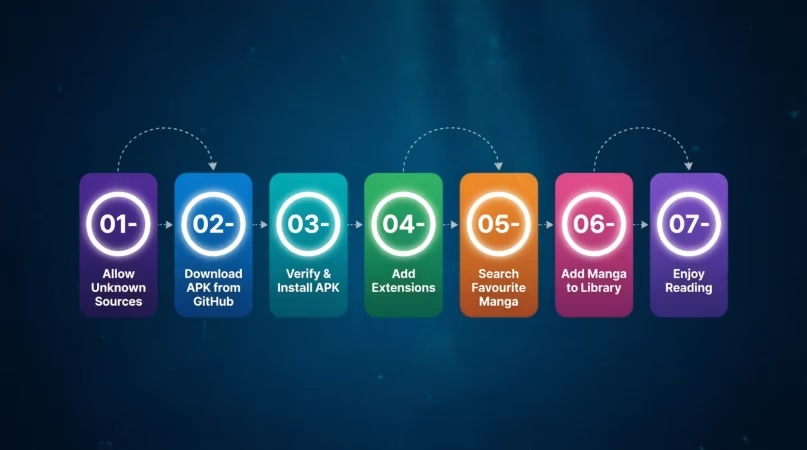
Installing Tachiyomi APK v0.15.3 on Android only takes a few minutes. Follow the beginner-friendly guide below to safely download the latest version, install it on your device, add trusted manga extensions, and start reading manga, manhwa, and webtoons with a clean, customizable, and ad-free experience.
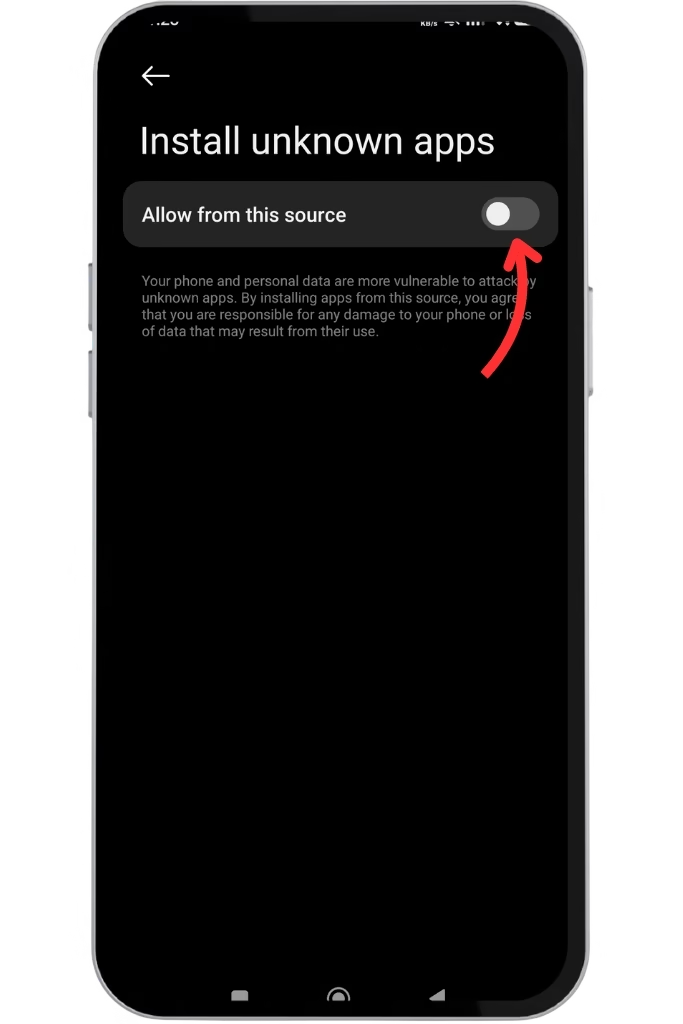
Allow Unknown Sources in Android Settings
- Before starting your Tachiyomi download, your Android device needs one quick permission change
- Since the Tachiyomi APK is not available on the Google Play Store, Android blocks outside installs by default
- Go to Settings > Security > Install Unknown Apps and toggle it ON
- On Android 8 and above, find your browser or file manager in the list and enable it from there
- You only need to do this once
- This permission only allows Android to install apps outside the Google Play Store and does not affect your device after installation
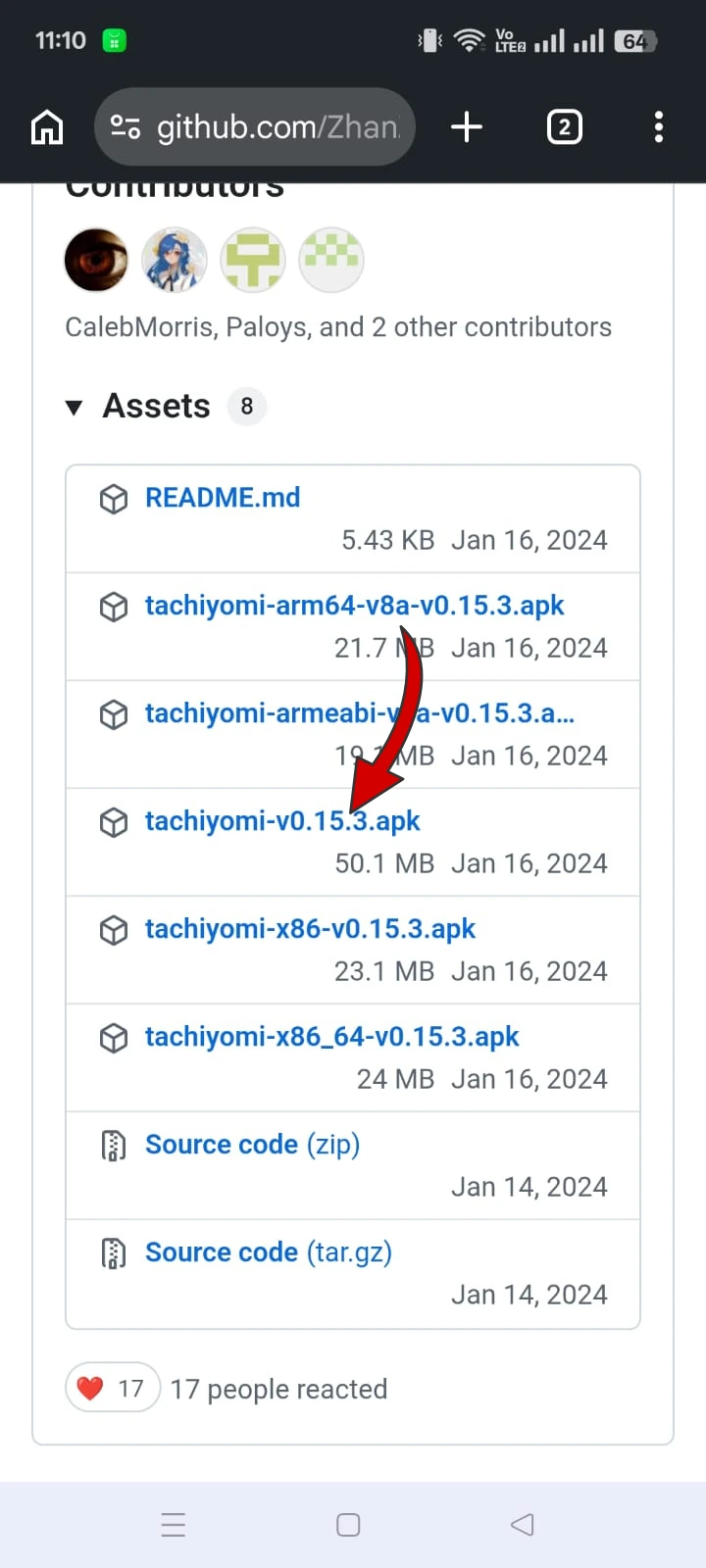
Download the Latest Tachiyomi APK v0.15.3
- Download the latest stable Tachiyomi APK (v0.15.3) from a trusted source
- The original project was discontinued in 2024, so always verify that the APK file is authentic before installing
- On the GitHub releases page, look for the
.apkfile under Assets and tap Download - The file is around 21 MB in size
- If you need an older release such as Tachiyomi 0.15.2, you can also download previous versions from our dedicated archive
- 👉 Tachiyomi Old Version
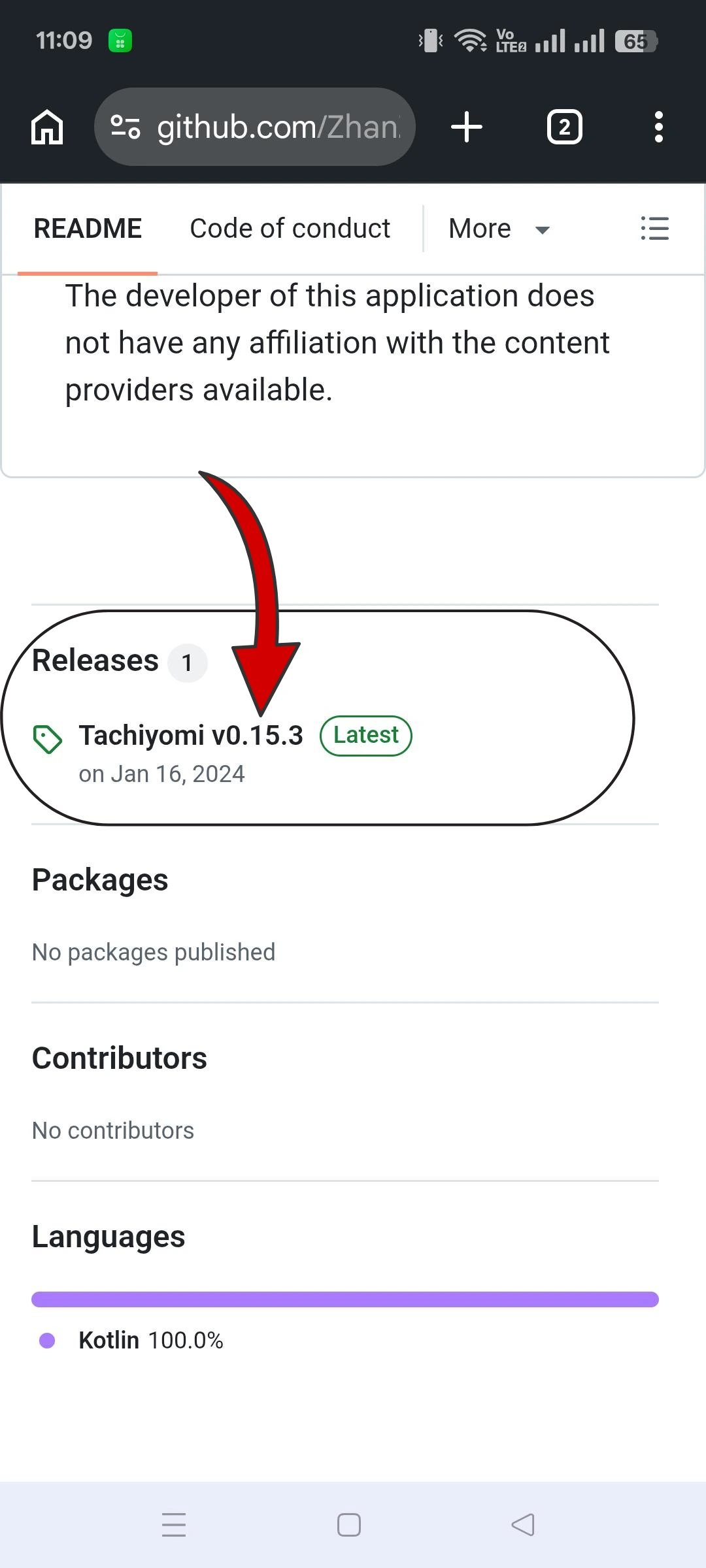
Verify and Install the Tachiyomi APK on Android
- Once the Tachiyomi APK download completes, open your file manager and confirm the file name matches
- It should say
tachiyomi-v0.15.3.apkand be around 21 MB - Check that the file name ends with
.apkand has not been modified before installation - If the size looks very different, delete and re-download from a trusted source
- Then tap the file: Android will show an install dialog
- Read the permissions and tap Install
- The process takes under 30 seconds and ends with an “App Installed” confirmation
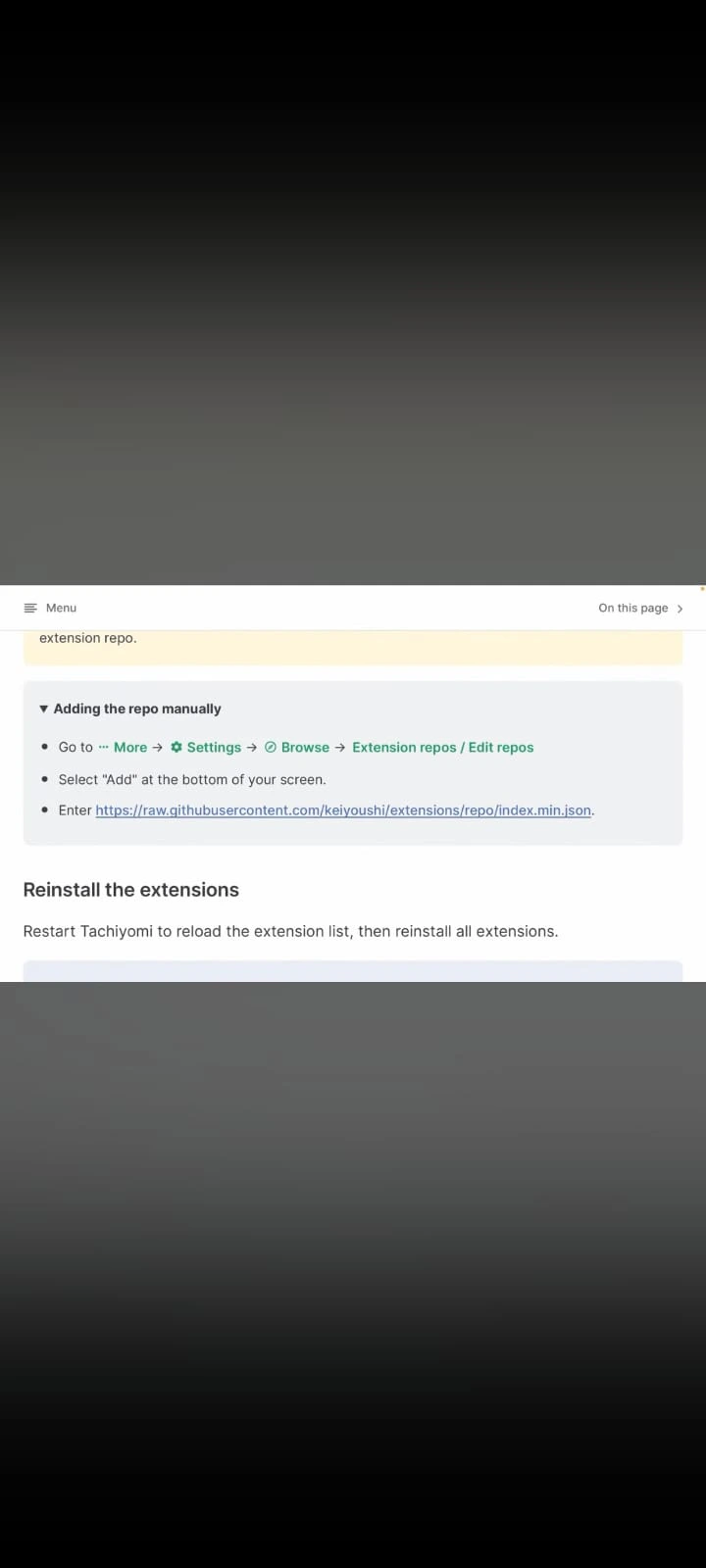
Add Extensions to Tachiyomi
- After installing, the next step is to add extensions
- Open Tachiyomi and you will notice the library is empty: that is completely normal
- The app does not host manga itself
- Tap Browse > Extensions and install the sources you want
- You can add extensions from various manga sources such as MangaDex and Mangakakalot
- Browse our Tachiyomi Extension Repository to install trusted manga sources
- This is the core of how to use Tachiyomi: pick only the sources you need
Search Your Favourite Manga
- Once your sources are added, use the search option to find any tachiyomi manga you like
- Tap Browse > Sources and select a source
- Search the title of the manga you want to read, and the app will display results from the available sources
- Whether you follow long-running series or newly released titles, the search feature works the same
- You can search by title, author, or genre depending on the extension you install
Add Manga to Your Library
- Found something good? Tap the “+” button or “Add to Library” to save it
- You can save your favourite titles in your library and organize them into categories to keep everything neat
- Create custom categories such as Favorites, Currently Reading, and Completed to organize your library
- Tachiyomi will automatically track new chapters and notify you when updates arrive
- No manual checking needed
- This smart library system is one of the main reasons users prefer Tachiyomi over basic manga websites
Enjoy Reading: Customise Your Experience
- Now start your reading: open any chapter and tap the screen center to reveal reader settings
- You can turn on dark mode, adjust scrolling style, zoom in or out
- Even read downloaded chapters offline
- Switch between left-to-right, right-to-left, or long vertical webtoon mode, whatever suits your reading style
- Since official development ended in 2024, there are no new official Tachiyomi releases
- Existing users can reinstall version 0.15.3 or migrate to Mihon for future updates and continued development
New to Tachiyomi?
After installing the app, explore our beginner guides:
⚠️ Safety Tips Before Downloading Tachiyomi APK
- ✅ Download only from trusted websites
- ✅ Avoid modified APKs
- ✅ Never complete surveys before downloading
- ✅ Verify the APK version before installing
- ✅ Scan the APK with an antivirus app before installing
Want to know how to check whether a Tachiyomi APK is genuine, modified, or fake? Read our Is Tachiyomi Safe? guide for a complete safety checklist.
If you run into download issues, check our Tachiyomi Error 404 Guide.
Tachiyomi vs Mihon vs TachiyomiSY: Which Manga Reader Should You Choose?
Although the original Tachiyomi APK is still widely used, official development ended in 2024. Since then, several community-maintained forks have continued its legacy. You can explore our detailed guide on Tachiyomi Forks to learn more about the available options. Mihon is the official successor focused on stability and long-term support, while TachiyomiSY adds extra features for advanced users. The comparison below highlights the key differences to help you choose the right manga reader.
| Feature | Tachiyomi | Mihon | TachiyomiSY |
|---|---|---|---|
| Status | Original Project (Discontinued) | Official Successor | Community Fork |
| Updates | No official updates | Regular updates | Regular updates |
| Stability | Good | Excellent | Very Good |
| Extensions | Yes | Yes | Yes |
| Reader Features | Standard | Standard + improvements | Advanced |
| Best For | Existing users | Most users | Power users |
| Android Support | Older & current devices | Best support | Good support |
| Recommended | ★★☆☆☆ | ★★★★★ | ★★★★☆ |
Tachiyomi Pros & Cons
Choosing the right manga reader depends on your reading habits and priorities. While Tachiyomi remains one of the most powerful open-source manga readers for Android, it also has a few limitations that new users should know before installing. Here’s a balanced overview of its biggest advantages and disadvantages.
Tachiyomi Official Website & GitHub
Before its discontinuation, Tachiyomi was developed as a free, open-source manga reader for Android, with its source code publicly hosted on GitHub. This allowed developers worldwide to review the code, report issues, contribute improvements, and track new releases, making Tachiyomi one of the most trusted manga reading applications in the community.
In January 2024, the original Tachiyomi project was officially discontinued after receiving a legal notice, and the official GitHub repository was removed. As a result, there are no new official updates beyond Tachiyomi v0.15.3. Today, community-maintained forks such as Mihon continue the project’s development, providing ongoing bug fixes, compatibility improvements, and new features for existing users.
Tachiyomi APK Old Versions
Although Tachiyomi v0.15.3 is the final official release, many users still look for older versions that better suit their devices or specific use cases. Previous releases, such as Tachiyomi v0.15.2, may offer better compatibility with older Android devices, preferred user interfaces, or legacy extension setups. If you need an earlier version, always download it from a trusted source and verify the APK before installation to reduce security risks.
For a complete archive of previous releases and installation guidance, visit our Tachiyomi Old Version page.
Troubleshooting Guide: Solving Tachiyomi App Common Problems
Even the best apps can run into a few bumps, and Tachiyomi is no exception. While not technical, you may encounter some common hurdles now and then, which can be addressed instantly if done carefully. Below are some minor issues you can face and their solution to fix. Have a look at them.
Extensions Not Working or Not Loading
Sometimes Tachiyomi extensions fail to load or suddenly stop working because the manga source has changed its website structure, updated its API, or is no longer maintained. Since the original Tachiyomi project was discontinued in 2024, these issues are not always fixed officially. Fix: Update or reinstall the extension from our Tachiyomi Extension Repository. If the source is no longer supported, switch to another working extension. If you see an HTTP 404 error, follow our Tachiyomi Error 404 Guide for step-by-step solutions.
App Not Installing
If the Tachiyomi APK does not install, the downloaded file may be corrupted, Android may be blocking apps from unknown sources, or an older version may be causing a conflict. Fix: Enable Install Unknown Apps in your Android settings, delete the damaged APK, and download a fresh copy from a trusted source. If an older version is already installed, uninstall or update it before installing Tachiyomi v0.15.3.
App Crashing or Freezing
Tachiyomi may occasionally crash, freeze, or close unexpectedly because of corrupted cache files, low device storage, outdated Android versions, or incompatible extensions. Fix: Restart your device, clear the app cache, free up storage space, and update your installed extensions. If the issue continues, reinstall the app to replace any damaged files.
Library Not Updating
If your library is not showing newly released chapters, the problem is usually caused by library update settings, a broken extension, or a temporary issue with the manga source. Fix: Pull down to refresh your library manually, check your library update settings, and verify that the installed extension is still working. Reinstalling or replacing the extension usually restores automatic chapter updates.
HTTP 403 Error
An HTTP 403 error appears when a manga website blocks requests through security services such as Cloudflare. This is a source-side restriction rather than a problem with the Tachiyomi app itself. Fix: Open the affected source in WebView, complete the verification if prompted, and then refresh the chapter. If the issue remains, update the extension or switch to another supported manga source.
Blank Pages or Images Not Loading
If manga chapters open but the pages remain blank or images fail to load, the source server may be temporarily unavailable, your internet connection may be unstable, or the installed extension may be outdated. Fix: Refresh the chapter, clear the app cache, check your internet connection, and update or replace the extension if necessary. If the source is temporarily down, wait a while and try again later.
Backup & Restore Not Working
Sometimes a backup file cannot be restored because it was created with an incompatible version or has become corrupted. Fix: Make sure you are using a valid .tachibk backup file and restore it using a compatible version of Tachiyomi or Mihon. Creating regular backups before updating or changing devices helps prevent data loss.
Tachiyomi Mod APK vs. APP Version: Which Should You Pick?
Many users wonder whether they should install the original Tachiyomi APK or use a modified version. While both apps look similar, there are important differences in safety, updates, stability, and support. The table below compares the two versions so you can choose the option that best fits your needs.
| Feature | Tachiyomi APK | Tachiyomi Mod APK |
|---|---|---|
| Settings Access | Available via “More” | Modified settings |
| Downloaded Only Mode | Yes | Available |
| Incognito Mode | Hides reading history | Same features |
| Download Queue | Pause & resume | Modified/Faster |
| Categories | Custom lists | Pre-configured |
| Help Section | Community support | No official support |
| About Section | App info & updates | No update options |
| Start Screen | Fully customizable | Custom start screen |
| Confirm Exit | Exit confirmation | No confirmation |
| Hide Bottom Bar | Yes | Yes |
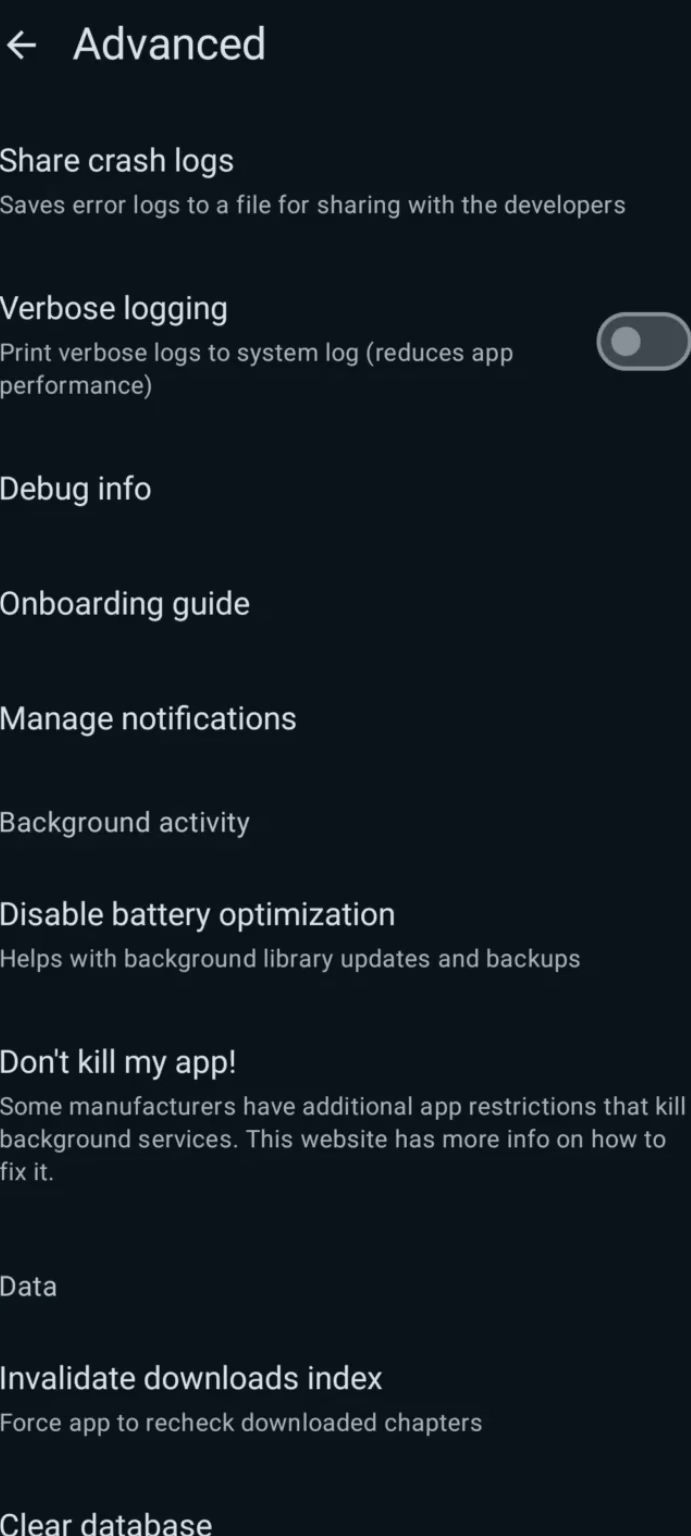
| Manage Notifications | Fully customized | Modified alerts |
| Theme Settings | Light/Dark/AMOLED | Same themes |
| Language & Date | Fully customizable | Pre-configured |
| Jump to Chapters | Adjustable | Same behavior |
| Chapter Updates | Auto chapter list | Same |
| Reading Modes | Page/Vertical modes | Usually limited |
| Download Settings | Auto-download & cleanup | Modified options |
| Tracking & Backup | MAL/AniList + backup | Backup may fail |
| Security Settings | Privacy & security | No security updates |
| Advanced Settings | Battery/cache optimization | Extra performance tweaks |
| Manga Sources | Manual extensions | Pre-installed sources |
| Ads | Completely ad-free | Same (ad-free) |
| Official Support | Community backed | No official updates |
| Stability & Safety | Safe & tested | May be unstable |
Final Verdict
Tachiyomi APK v0.15.3 remains an option for Android users who want to continue using the original manga reader. However, the project was discontinued in 2024, and the original app no longer receives official updates or support.
Because extensions rely on external manga sources, some may stop working when websites change or compatibility issues arise. Before installing the APK, verify that the file comes from a source you trust and understand that the discontinued app may not receive future security fixes.
If you prefer an actively maintained alternative, explore Mihon, which continues the manga-reading experience through a separate project. You can also compare other Tachiyomi forks to find an option that suits your needs.
FAQs