
Is Tachiyomi Safe in 2026? Complete APK Safety Guide
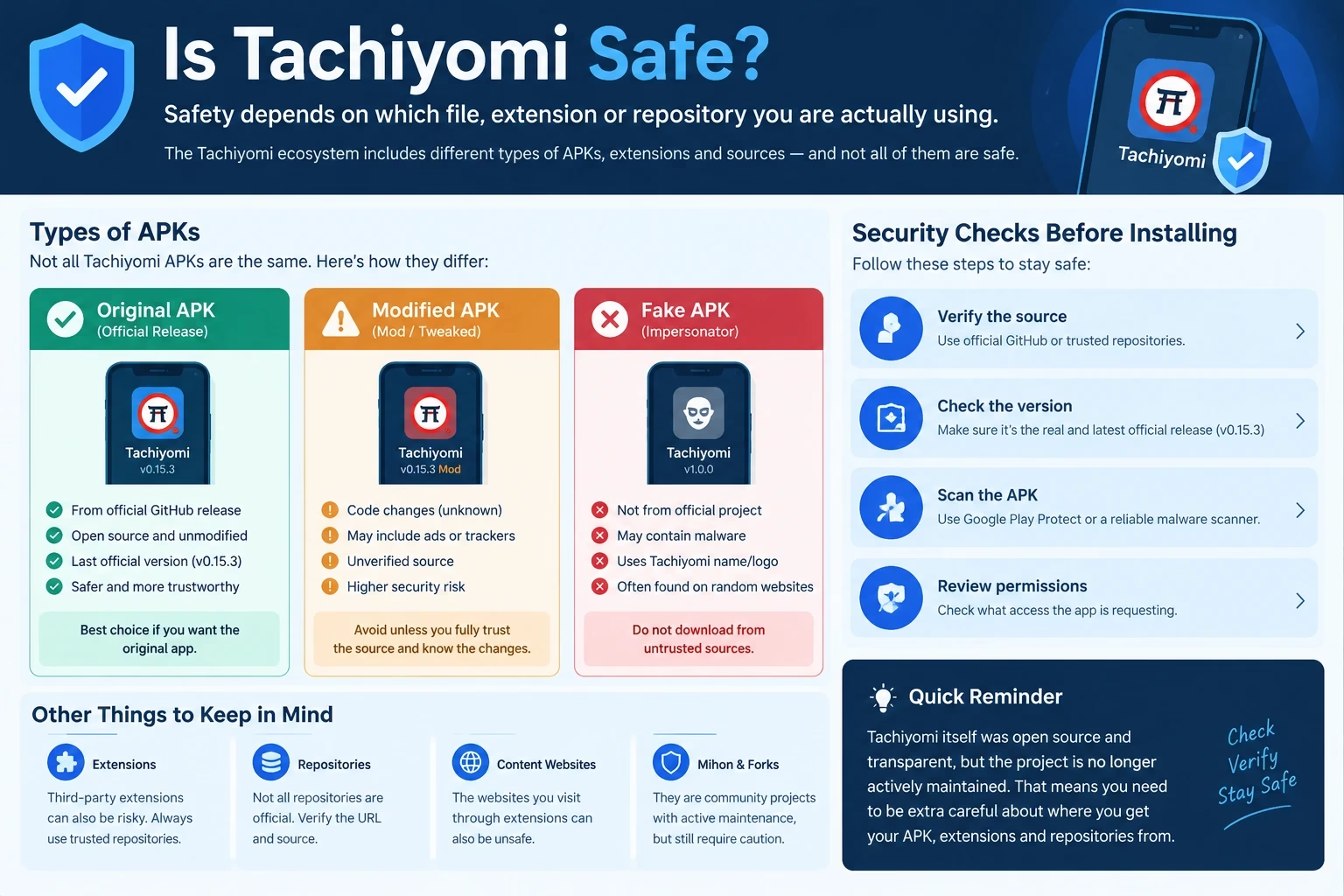
Is Tachiyomi safe? The original project was open source and did not host manga itself, but that alone does not make every file called “Tachiyomi” safe. The answer depends on what you mean: the original app, an APK from an unknown website, a modified copy, a third-party extension or a repository URL. Each carries a different kind of risk.
The question matters more in 2026 because the original app stopped active development in January 2024. Nobody maintains it upstream, and altered or impersonated copies are easier to pass off as something new. This guide separates those layers so you can see where the risk actually sits and what to check first. You can find more Tachiyomi guides on the Tachiyomi Tips home page.
If you plan to use extensions, the Tachiyomi extension repo guide covers adding repositories, the Mihon extensions guide covers installing sources, and the Mihon extension repo list shows which repositories exist. This article focuses on the safety side of each.
Quick answer: the original project’s open-source design is a good sign, but safety depends on the file’s origin, whether it was modified, and which extensions and repositories you add. No file is safe just because of its name.
Is Tachiyomi Safe?
Here is the short version, separated into facts and advice.
Documented facts:
- The original Tachiyomi was an open-source Android app under the Apache License.
- Its development ended after an announcement on January 13, 2024, and 0.15.3 is listed as its final stable release.
- Mihon and other forks are separate community projects, not new official Tachiyomi versions.
Practical advice:
- Treat the name “Tachiyomi” as a label, not proof of authenticity.
- Judge the file by its origin and integrity, not by the site’s wording.
- Treat extensions and repositories as a separate trust decision.
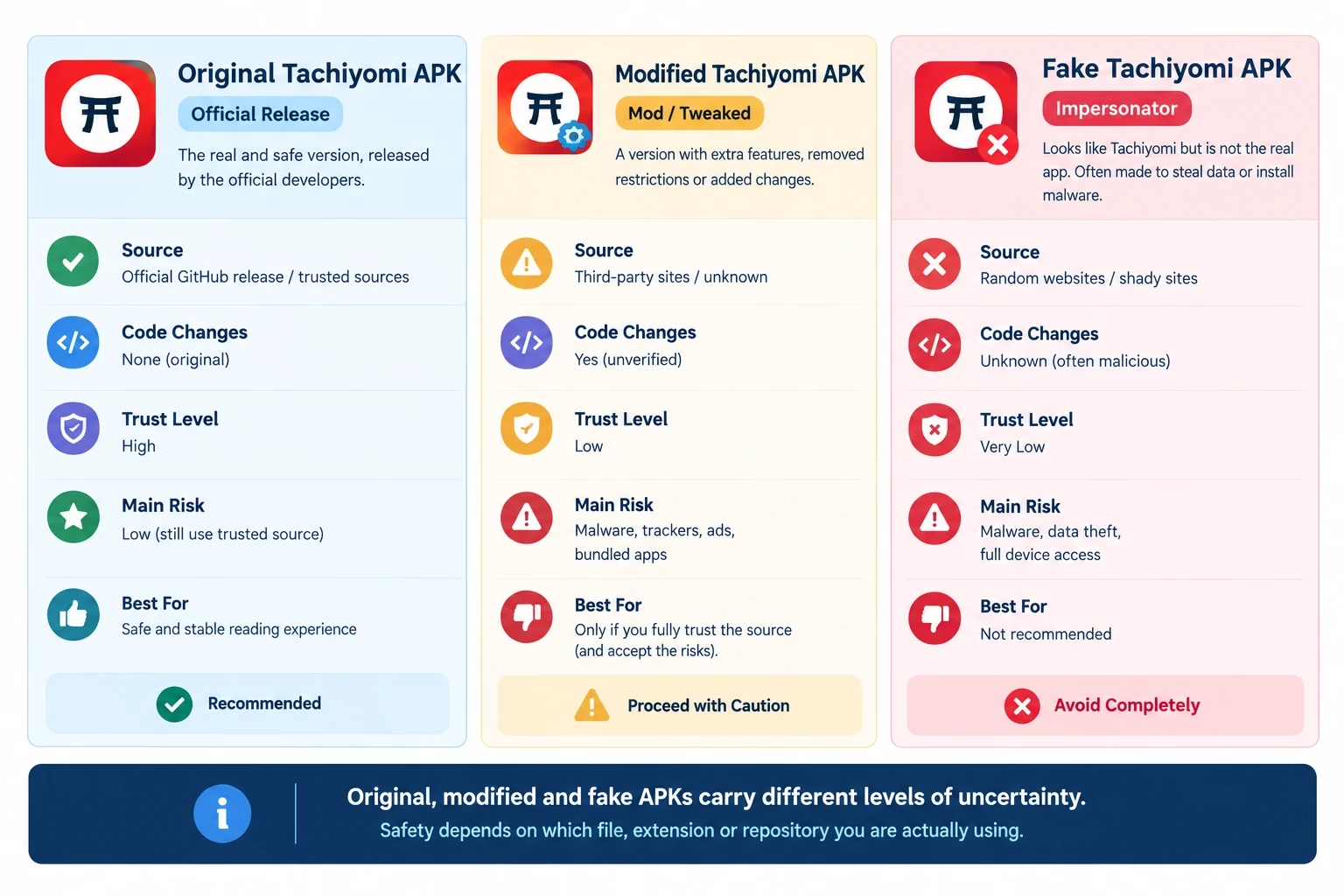
| Type | Source | Code Changes | Trust Level | Main Risk |
|---|---|---|---|---|
| Original / archived release | Project’s own release history | None from the original developers | Depends on verifying the copy | No upstream maintenance |
| Third-party mirror | Unknown website re-hosting a file | Cannot be assumed | Needs checking | File may differ from the release |
| Modified (mod) APK | Unknown modifier | Unknown changes | Low without evidence | Hidden ads, trackers or permissions |
| Fake APK | Impersonator using the name | Unrelated code possible | Very low | Deceptive or harmful software |
Warning: an APK using the Tachiyomi name is not automatically an official Tachiyomi release.
Why Was Tachiyomi Considered Safe?
Based on the project’s public release history, several signals earned it trust. Each one has limits, which are just as important to understand.
Is Tachiyomi Safe Because It Is Open Source?
Not by itself, though it helps. Anyone could read the code, and contributors reviewed changes in public. This is a real advantage, because hidden behaviour is harder to sustain. It does not prove that a copy you downloaded from elsewhere matches that code.
Info: open-source software can be inspected, but that does not guarantee that every redistributed APK is unmodified.
Public Development History
Releases, issues and commits were visible on GitHub, which gives you something to compare against. It helps you check versions, but it says nothing about a file on another website.
No Built-In Account Requirement
The app worked without an account, so it did not need your login just to run. Optional tracker connections were separate. This limits what the app itself collects, but it does not cover what an extension or source website might do.
No Built-In Advertising Model
The original project was not built around ads. That is a reason to be suspicious of copies that suddenly show ads or ask you to install other apps, because that behaviour was not part of it.
It Does Not Host Manga on Its Own Servers
The app acts as a reader. Content comes from sources you connect through extensions. That removes one risk (the app storing content) but moves the trust question to the extensions and websites.
Is the Tachiyomi APK Safe to Download?
Is Tachiyomi safe to download? It depends on which kind of file you have. From a security perspective, these are different things:
- Official or original release: a build published by the original project.
- Archived release: an old release preserved in the project’s history. Our page on Tachiyomi old versions covers what exists.
- Third-party mirror: a copy on another website, which you must verify yourself.
- Modified APK: a copy that someone changed.
- Fake APK: an unrelated file using the name.
Version 0.15.3 should be described accurately: it is the last stable release of the original project, published in January 2024, not a new 2026 build. If a site advertises a “new official Tachiyomi 2026” release, that claim needs strong evidence. Do not download from a site simply because it ranks first in search results.
How to Tell if a Tachiyomi APK Is Genuine
Before installing any APK, verify its source. Work through these checks:
- Verify the publisher. Find the project’s own release page and confirm the file comes from it.
- Check the version. Match it to a known release. An unfamiliar version number is a red flag.
- Compare against a known release. File name and size should match what the release lists.
- Check the checksum where available. Some projects publish SHA-256 values. Mihon’s v0.16.0 release notes do, and also warn about fake versions.
- Scan it. Use Google Play Protect or a reputable malware scanner.
- Review permissions. Check what the app requests in Android’s app info and question anything unrelated to reading.
- Avoid “Premium,” “Pro,” “Unlocked” or “Mod” builds. The original was free, so these labels signal a modified file.
- Be suspicious of “official 2026” claims. The original project ended in 2024.
- Avoid fake buttons and redirects. Multiple download buttons or forced app installs suggest a deceptive page.
Warning: a website calling a file “Tachiyomi APK” does not prove that the file came from the original developers.
Are Tachiyomi Mod APKs Safe?
A modified APK needs extra trust because you cannot see what changed. That does not mean every mod contains malware. It means you cannot automatically trust an unknown modification. Possible concerns include:
- Unknown code changes that alter what the app does.
- Unknown permissions added to the original list.
- Injected advertising that the original never had.
- Trackers that collect information.
- Bundled software installed alongside the app.
- No way to verify the modifications, because there is no public review.
If you want extra features, look for a fork that publishes its source and history instead. Our Tachiyomi forks guide compares the community options.
Is Tachiyomi Safe for Android?
Installing outside Google Play is called sideloading. It is normal for this kind of app, but it moves more responsibility to you.
- Install unknown apps: Android asks you to allow installs per app. Allow it only for the browser or file manager you used, and turn it off afterwards.
- Google Play Protect: keep it enabled so sideloaded files can be scanned.
- System updates: keep Android and WebView updated, since app content relies on them.
- Check the origin: never install a file just because a pop-up told you to.
- Limit permissions: deny anything not needed for reading.
Security: before installing a sideloaded APK, verify the source, version, integrity and requested permissions.
Are Tachiyomi Extensions Safe?
This is the most important distinction in the whole ecosystem: the app, an extension and a manga website are three different things. An extension is a separate piece of third-party code that connects the reader to a source. A safe base application does not automatically make every extension safe, so asking “is Tachiyomi safe?” about the app alone misses this layer. Tachiyomi extensions are best understood as separate pieces of third-party code.
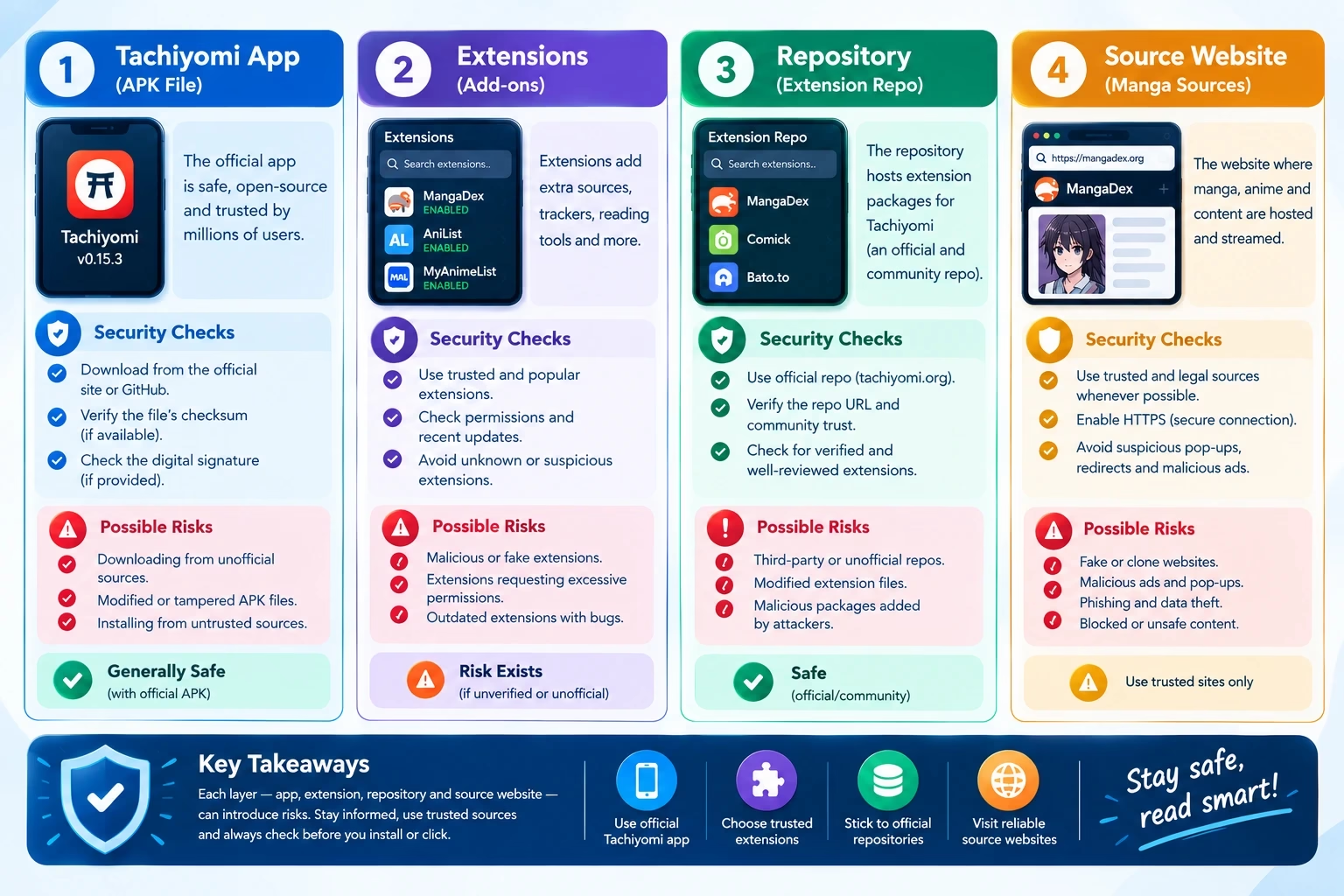
| Component | What It Does | Who Controls It | Main Safety Consideration |
|---|---|---|---|
| App | Displays and organises your library | The app’s developers | Origin, version, modification |
| Extension | Connects the app to one or more sources | Extension maintainers | Third-party code, permissions |
| Repository | Publishes the list of extensions | Repository owner | Who runs it and how it is maintained |
| Source website | Hosts the content you read | The website owner | Ads, redirects, content rights |
Mihon’s own extensions FAQ says it does not provide or associate with any repositories or extensions, and warns that third-party ones get full access to the app and may contain malware. That is a useful, primary-source reminder that trust here is your decision.
- Extension trust: install only what you need and remove unused ones. Our source extensions for the Tachiyomi app page helps you see what is available before you choose.
- Source behaviour: a website can change what it serves at any time.
- Access: an installed extension runs as code on your device, so review it before trusting it.
Are Tachiyomi Extension Repositories Safe?
An extension repository is a URL that tells the app which extensions exist and where to get them. Whoever controls it controls what you can install, so origin matters.
- A known open-source project such as Keiyoushi on GitHub can be inspected, with visible owners, history and issues. An unknown URL from a comment or a chat cannot.
- Verify URLs against the project’s own README, not a screenshot.
- A repository is not “official Tachiyomi” just because it is popular. Mihon’s documentation, for instance, states it does not associate with any.
Repository lists and setup steps are covered in the guides linked near the top of this article.
Is Tachiyomi Safe to Use in 2026?
“Safe to install” and “safe as a long-term maintained application” are different questions.
- Development stopped: no upstream fixes for problems found after January 2024.
- No ongoing security maintenance: new issues in Android or its components will not be addressed by the original team.
- Source compatibility can change: extensions and websites keep changing around an app that does not, which is why extensions not working reports are common.
- Older software ages: reliability can slip over time, and errors such as Tachiyomi error 404 can appear.
None of this means discontinued software is automatically malware or dangerous. It means you should know the maintenance status before relying on it.
Is Mihon Safer Than Tachiyomi?
Is Tachiyomi safe compared with Mihon? Keep this factual: Mihon is a community successor, and it is not a guarantee of safety. The relevant differences are about maintenance.
| Factor | Original Tachiyomi | Mihon |
|---|---|---|
| Maintenance | Ended in 2024 | Ongoing releases |
| Updates | None from upstream | Versioned releases and changelogs |
| Open source | Yes | Yes |
| Extensions | Third-party repositories | Third-party repositories |
| Migration | N/A | Backups can be restored |
Active maintenance can matter for security and compatibility over time, but the extension risk is the same for both. Download Mihon only from its official website or GitHub, and read our Mihon guide for details.
Tachiyomi Safety Checklist Before Installing Any APK
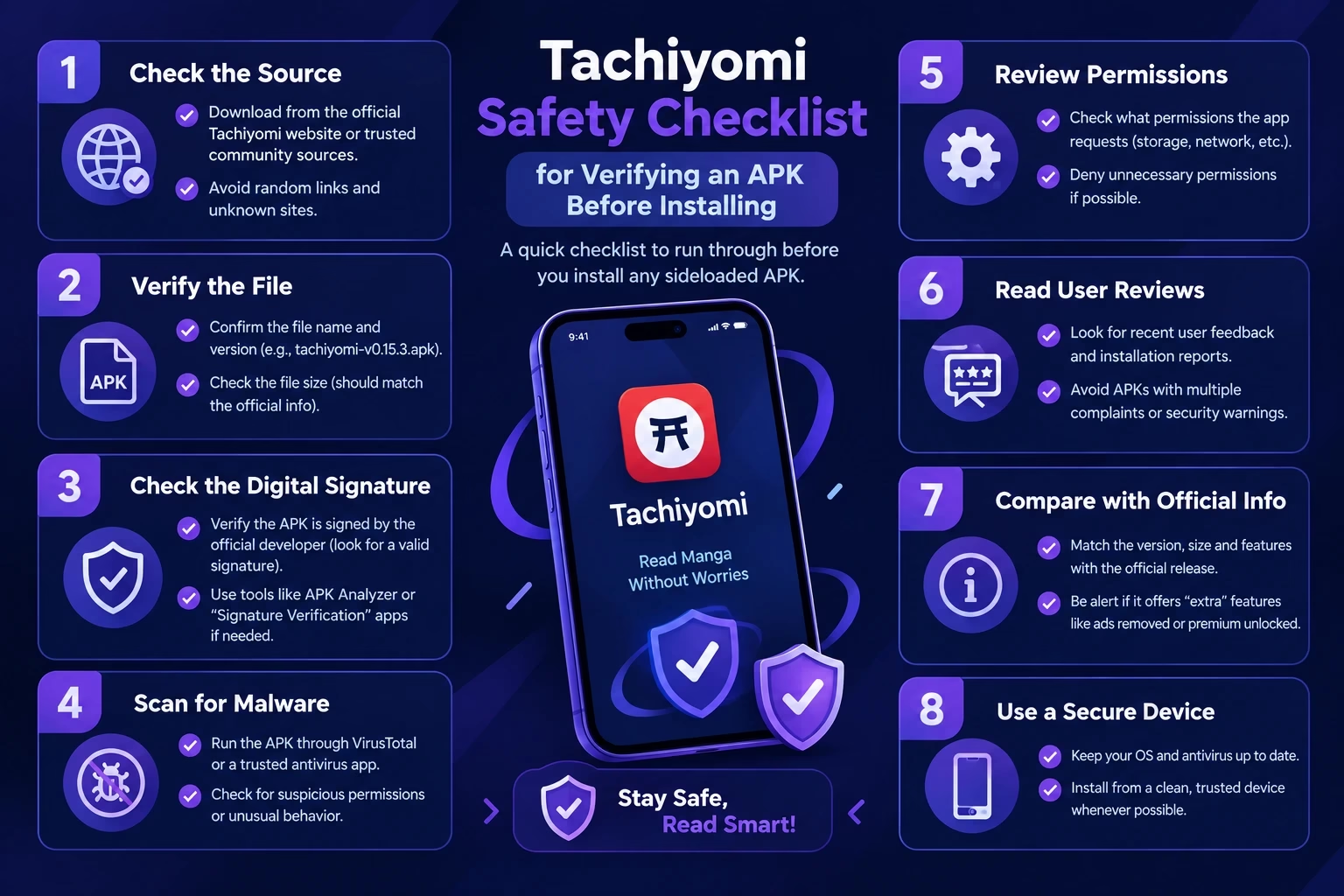
- ☐ Verify the project or source
- ☐ Confirm the version
- ☐ Avoid modified APKs
- ☐ Check the hash where available
- ☐ Scan the APK
- ☐ Review permissions
- ☐ Keep Google Play Protect on
- ☐ Avoid suspicious download pages
- ☐ Don’t trust “latest official 2026” claims without evidence
- ☐ Keep Android and WebView updated
Common Tachiyomi Safety Mistakes to Avoid
- Downloading from the first Google result
- Assuming every Tachiyomi-branded APK is official
- Installing mod APKs
- Ignoring unexpected permissions
- Adding unknown extension repositories
- Treating an extension as part of the original app
- Assuming open source means every downloaded copy is safe
- Confusing Mihon or another fork with a new official Tachiyomi version
Is Tachiyomi Legal?
The application is software that displays content it receives from sources. Whether using it is lawful can depend on the content sources, how copyrighted material is accessed and the laws where you live, which vary by country. This is not legal advice, and it would be wrong to say every source is legal or that every source is illegal. Check your local rules.
Is Tachiyomi Safe for iPhone?
The original Tachiyomi was an Android application, and our Tachiyomi for iOS page explains the situation in more detail. Be suspicious of websites offering an “official Tachiyomi iOS app” or an IPA file, because these are typically unofficial. Do not install profiles or files from unknown pages.
Tachiyomi vs Aniyomi — Are They the Same?
No. Aniyomi is a separate fork that adds anime support alongside manga. It has its own developers, releases and extensions, so the same verification steps apply to it separately.
Final Safety Checklist
The important question is not simply “is Tachiyomi safe?” The better questions are:
- Is this the original release?
- Where did this APK come from?
- Has it been modified?
- What permissions does it request?
- Which extension or repository am I using?
- Is the software still maintained?
Frequently Asked Questions About Tachiyomi Safety
The app is software that displays content fetched by third-party extensions. Whether using it is lawful can depend on which sources you read from, how copyrighted material is accessed and the laws where you live. Not every source is treated the same way, so this is not legal advice. Check your local rules and the source’s terms.
The developers announced the end of development on January 13, 2024, after the project’s extension list had been removed days earlier. Public reporting links this to legal pressure from a publisher. The final stable release was 0.15.3. Community forks, including Mihon, continued the idea independently.
No single app is an official replacement. Mihon is the best-known community successor, started by a longtime contributor, and several other forks exist. Because they are independent projects, download each one only from its own official page and see our Tachiyomi alternatives page for options.
There is no single best extension because it depends on what you read and which source is working. Choose extensions from a repository you trust, prefer sources that are updated regularly, and remove ones you no longer use. See our best Tachiyomi extensions list for popular options.
It depends on where the file comes from. An archived copy of the original 0.15.3 release is different from a random mirror, a mod or a fake. Verify the publisher, version and, where available, checksum before installing, and scan the file. Do not trust a page only because it says Tachiyomi.
An APK is only as trustworthy as its origin and whether it has been modified. The original project was open source, but any redistributed file can be altered or impersonated. Compare the file with a known release, check its version and permissions, and avoid mod, premium or unlocked versions.
Installing it means sideloading, so Android’s Install unknown apps setting applies. Allow it only for the source you trust, keep Google Play Protect on, keep Android and WebView updated and review permissions. Turn the setting off again afterwards if you do not need it.
Not automatically. Extensions are separate third-party apps that connect to sources, and Mihon’s own documentation warns that third-party extensions and repositories may have full access to the app and may contain malware. Use only repositories you can verify, and keep the extension list short.
The last official release, 0.15.3, may still install on many devices, but it no longer receives upstream updates. Compatibility with newer Android versions and with sources can change, so features may break over time. Many readers use an actively maintained fork instead.
The original Tachiyomi was an Android app. Be suspicious of any site offering an official Tachiyomi iOS app or IPA, because these are commonly unofficial or fake. Do not install profiles or files from unknown pages, and check what a project actually supports on its official page.
They cannot be trusted by default. A modified APK may contain changes you cannot inspect, such as added ads, trackers or extra permissions. That does not mean every mod contains malware, but you have no easy way to verify it. Stick to unmodified releases from a source you can identify.
Mihon is actively maintained, which can help with security fixes and compatibility, while the original Tachiyomi is not. That does not make Mihon guaranteed safe. Download it only from its official site or GitHub, and apply the same caution to extensions and repositories.
Summary: Is Tachiyomi Safe?
So, is Tachiyomi safe? The original Tachiyomi was open source, but safety depends on the file’s origin, whether it was modified, and which extensions and repositories you add. Treat the app, extensions, repositories and source websites as separate trust decisions, and verify each before relying on it.