
TachiyomiJ2K: Complete Guide, Features & How to Use (2026)
TachiyomiJ2K is a Tachiyomi-based manga reader for Android built as a fork of the original app, with most of its identity built around customization, library organization, and reader preferences. If you’ve used Tachiyomi before, you’ve likely come across TachiyomiJ2K while looking into forks that kept building on that codebase after the original project slowed down.
Like other Tachiyomi-based apps, TachiyomiJ2K doesn’t include manga sources out of the box. It relies on extensions you install yourself, and it puts most of its own development effort into the library and reader side of the experience rather than the source-fetching side. This guide covers what TachiyomiJ2K is, how to use it, how extensions and the repo fit together, how updates and migration work, and how it compares with Mihon, so you can judge whether it fits how you actually read manga. Because it’s a community-run fork, it’s worth checking the project’s current trusted source before relying on it for the long term.
TachiyomiJ2K is a Tachiyomi-based Android manga reader focused on deeper customization, library organization, and reader preferences. It uses extensions for manga sources and may suit users who prefer more control over their reading experience than a simpler app provides. This guide covers its features, setup, extensions, updates, migration, and how it compares with Mihon.
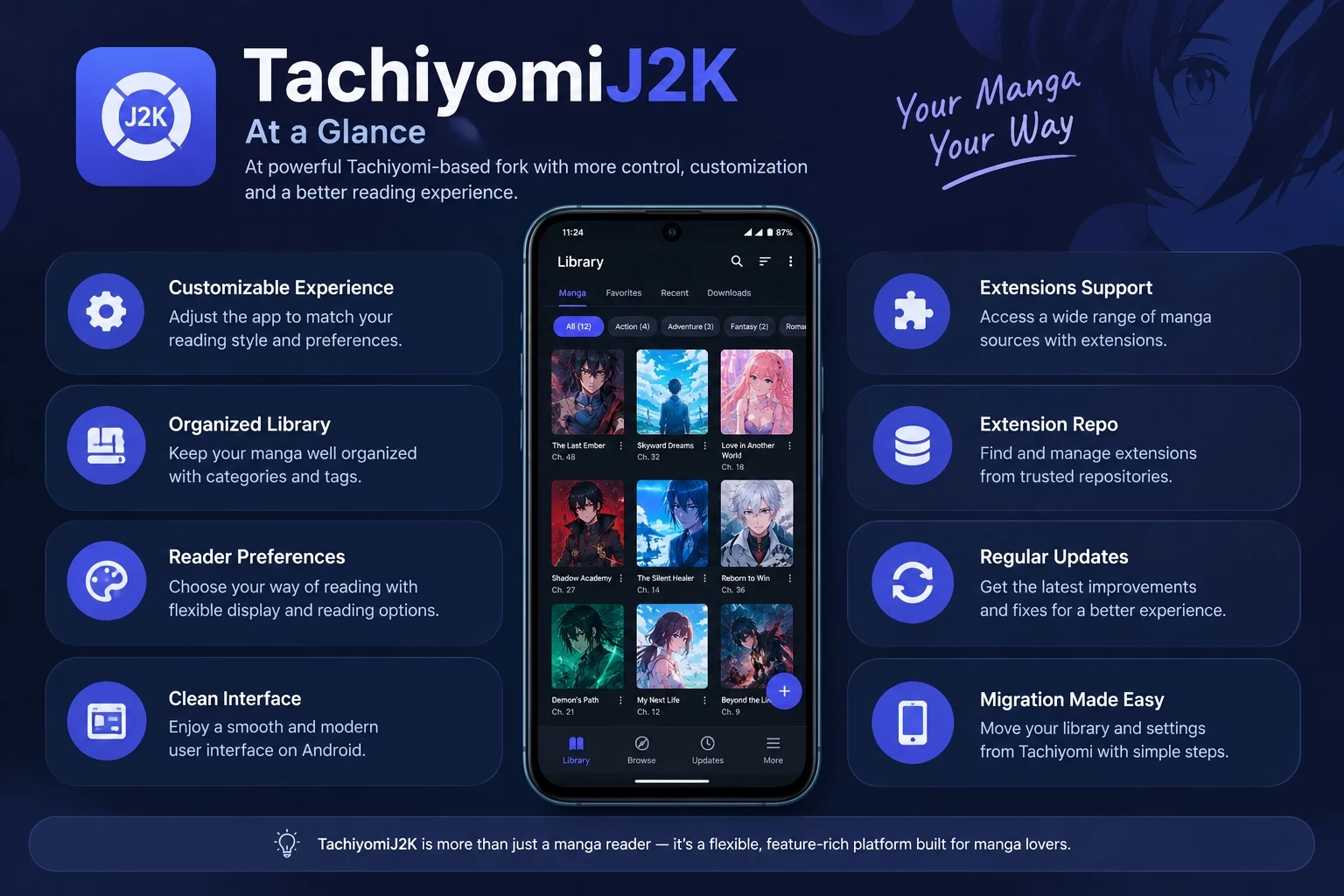
TachiyomiJ2K at a Glance
| Type | Tachiyomi-based manga reader |
| Platform | Android |
| Main Focus | Customization and reading preferences |
| Extensions | Supported through compatible repositories |
| Library | Categories and organization tools |
| Best For | Users who enjoy customization |
| Project Information | Check trusted current source |
What Is TachiyomiJ2K?
TachiyomiJ2K sits within the wider Tachiyomi ecosystem, a family of Android apps that all trace back to the same original codebase. As a fork, it reuses that foundation but adds its own direction, mainly around customization, library organization, and reader preferences rather than introducing an entirely different way of reading.
Extensions handle the actual manga sources, so the app itself concentrates on organizing what you add and letting you adjust how you read it. People usually land on the TachiyomiJ2K app after comparing it with the original Tachiyomi or with Mihon, while trying to work out which Tachiyomi-based option fits how they actually read and manage a library.
Who Should Use TachiyomiJ2K?
- Readers who like fine-grained control: if you enjoy tweaking settings until everything feels just right, this kind of app rewards that.
- Former Tachiyomi users: the interface and workflow will feel familiar since it shares the same roots.
- Readers with large libraries: categories and organization tools help when you’re tracking dozens or hundreds of series.
- Users who care about reader preferences: display, layout, and reading behavior options matter more to you than having the simplest possible interface.
If you’d rather use an app with a simpler setup process or one that’s more actively maintained, it’s worth also looking at Mihon or browsing the wider list of Tachiyomi forks before deciding.
What Makes TachiyomiJ2K Different?
Across Tachiyomi-based apps, the basic flow is the same: install extensions, build a library, read chapters. Where TachiyomiJ2K tends to stand out is in how much it lets you adjust that experience once you’re actually using it day to day.
A reader who just wants to open a chapter and read may not notice much difference between apps in this family. Someone who wants to change reading direction on a per-series basis, sort a large library by specific criteria, or fine-tune how the reader screen looks will likely notice that TachiyomiJ2K gives more knobs to turn than a more streamlined alternative.
TACHIYOMIJ2K MAY BE BETTER FOR:
- Users who enjoy customization
- Readers with large libraries
- Former Tachiyomi users
- Users who like adjusting reader preferences
IT MAY BE LESS SUITABLE FOR:
- Complete beginners who want the simplest setup
- Users who prefer minimal settings
- Readers who prioritize current project activity and support
TachiyomiJ2K Features Explained
Reader Customization
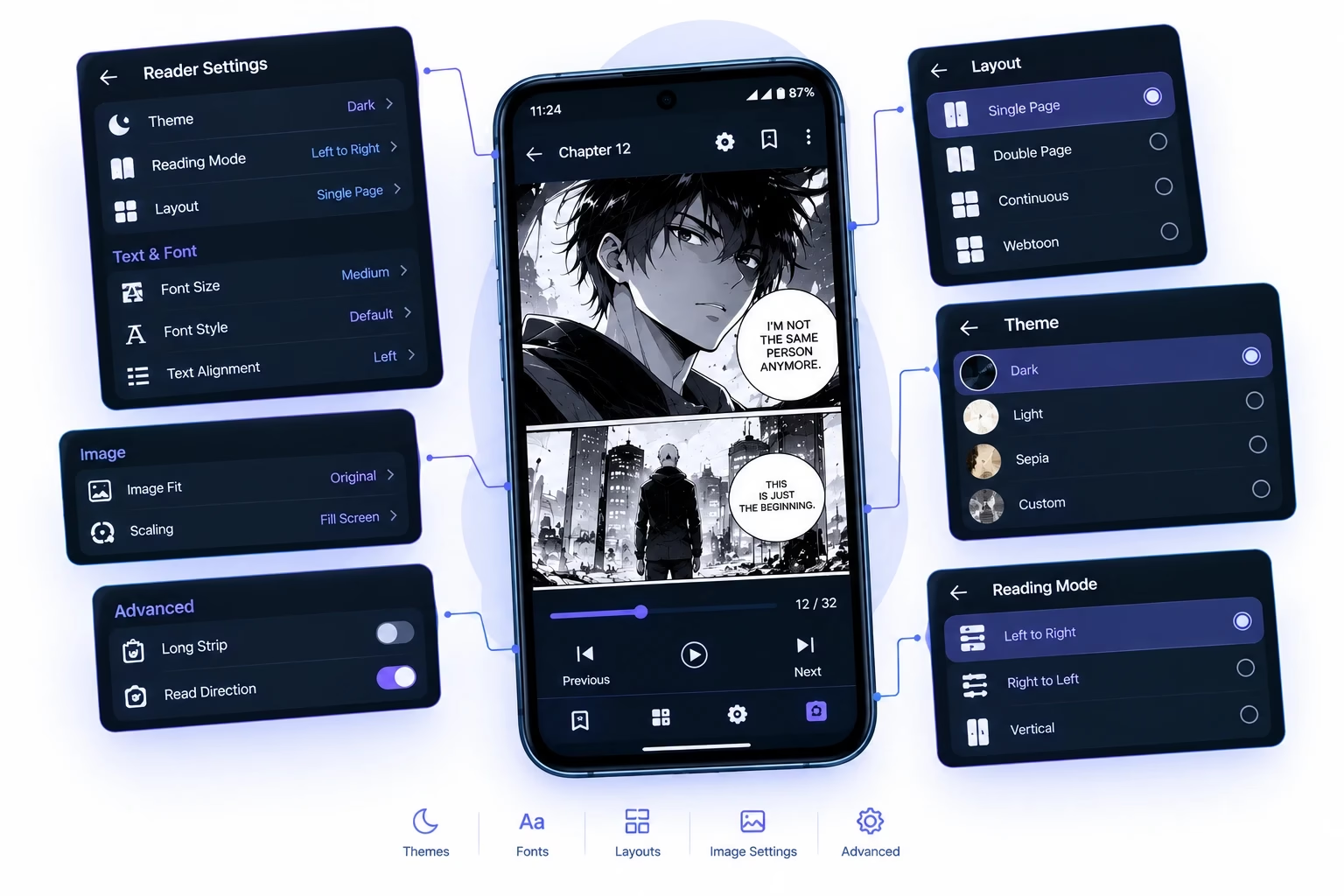
The reader screen typically supports adjustments like page layout, reading direction, and how images are scaled or cropped. A reader who switches between traditional manga and webtoons may want different reading layouts for each, right-to-left paging for one series and continuous vertical scroll for another, instead of being locked into a single default across everything.
Library Organization in TachiyomiJ2K
Every title you add lives in your library, where you can group manga into categories and sort them in different ways. Someone tracking a couple dozen ongoing series may mainly care about seeing which ones have new chapters waiting, while someone with a much larger backlog may lean more heavily on categories to keep completed, on-hold, and active titles separate.
Reading Preferences
General preferences usually cover things like how chapters get marked as read, whether the app remembers your place mid-chapter, and how much gets downloaded ahead of time. A commuter reading offline on a train might rely heavily on pre-downloaded chapters, while someone reading at home on steady internet may not need that setting turned on at all.
Interface Personalization
Menus, themes, and layout options let you adjust how the app looks and feels day to day. Someone who reads mostly at night may prefer a darker theme with simplified menus, while someone who browses for new series often may want faster access to the browse and extension screens. Exact options can shift between versions, so it’s worth checking the settings menu directly rather than assuming a specific toggle exists.
Manga Management
Keeping a library useful over time comes down to a few habits: using categories consistently, removing series you’ve dropped, and checking extensions when a source stops updating correctly. TachiyomiJ2K provides the tools, but a library still gets cluttered if categories and cleanup get ignored for months at a time.
How to Use TachiyomiJ2K
Once the app is set up, using it day to day breaks down into a handful of steps. Here’s how TachiyomiJ2K how-to-use works from a beginner’s perspective, from opening the app for the first time to keeping a library organized long term:
- Step 1: Understand the Main Interface. You’ll generally find a library view, a browse or sources area, and a settings menu. Spend a few minutes exploring each before adding anything.
- Step 2: Learn How Extensions and Sources Work. A source, installed as an extension, is what lets you search for and read manga from a specific website inside the app.
- Step 3: Browse or Search for Manga. Once a source is installed, you can search within it or browse its listings to find a title you’re after.
Prefer watching the process? This video guide gives a quick visual overview of the TachiyomiJ2K interface and basic workflow.
- Step 4: Add Manga to Your Library. Open a title from a source and use the option to add it to your library so it’s tracked going forward.
- Step 5: Organize Manga with Categories. Create categories that make sense for you, such as by genre, priority, or reading status, and assign titles as you go.
- Step 6: Customize Your Reading Preferences. Open a chapter and check the reader settings icon to adjust layout, direction, and display options.
- Step 7: Keep Your Library and Extensions Organized. Periodically review categories, remove titles you’ve dropped, and check for extension updates so your sources keep working correctly.
Before You Start Using TachiyomiJ2K
This is general guidance rather than a download walkthrough. Because project availability and release locations can change over time, treat the following as a checklist before you commit to setting anything up:
- Check current project information
- Verify your Android device requirements
- Back up your existing manga library if migrating
- Understand that extensions and sources are separate from the core app
- Use trusted project information
- Avoid random unofficial mirrors
Once you’ve gone through this checklist, opening the app, adding a trusted source, and letting it complete first-run setup is generally enough to get started.
TachiyomiJ2K GitHub and Project Information
Searches for TachiyomiJ2K GitHub usually come from readers trying to confirm whether the project is still active, what the latest release looks like, whether a bug has already been reported, or simply where the original source lives. The project’s code is hosted at github.com/Jays2Kings/tachiyomiJ2K, which is generally the most direct way to check this kind of information, since release notes and commit activity are visible there.
GitHub can help confirm the original project source, but it doesn’t automatically mean a project is safe or actively maintained. It’s worth checking who actually owns the repository, how recent the release information is, and whether current activity matches what you’re looking for before relying on it.
How Do TachiyomiJ2K Extensions Work?
Extensions are what actually connect the app to manga websites. Without any installed, the app has a library system and a reader but nothing to read yet. The relationship generally works like this:
Each extension is built for one specific source. When a source website changes its structure, the matching extension can break until someone updates it, which is why a TachiyomiJ2K extension that worked last month might suddenly stop pulling chapters correctly. Updating the extension solves this in many cases; if it doesn’t, the problem is usually on the source’s end rather than the core app.
For a deeper look at how repositories and extensions fit together, see our list of best Tachiyomi extensions. If you’re looking into extension source code specifically, the source extensions guide covers that in more detail. Not every issue is caused by the main app, so if extensions stop working entirely, our extensions not working guide walks through common fixes.
TachiyomiJ2K Extension Repo and Repo URL
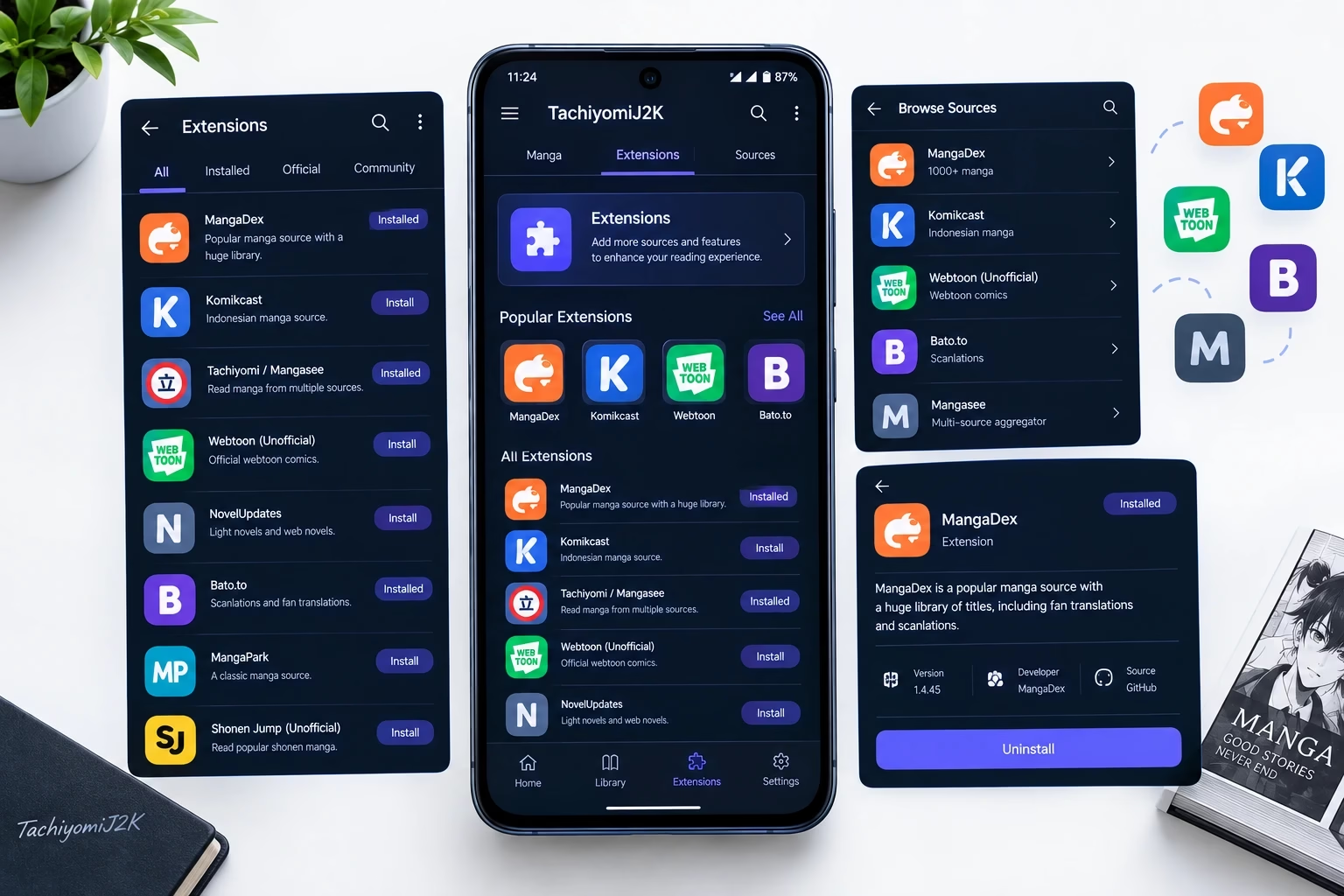
An extension repo is simply the catalog a Tachiyomi-based app pulls its list of installable extensions from. Instead of extensions being built into the app, the app checks a repo URL, downloads the current catalog, and lets you install from it.
A lot of readers search specifically for a TachiyomiJ2K repo URL, hoping for one dedicated repository tied to this particular app. In practice, there may not be a separate repository unique to TachiyomiJ2K, and repo compatibility and recommended URLs can shift over time as the wider Tachiyomi ecosystem changes. Publishing an unverified URL here would risk pointing you toward outdated or incorrect information.
If you are specifically searching for a TachiyomiJ2K extension repo URL, the important thing is not simply finding a random URL online. You should confirm that the repository is currently trusted and compatible before adding it, the same way you would for any Tachiyomi-based app: check Settings, then Browse, then Extension Repos inside the app itself. Our dedicated Tachiyomi extension repo guide keeps the current, verified repo URL and full setup steps, and covers troubleshooting if the repo won’t load or extensions aren’t appearing.
How to Update TachiyomiJ2K
Update processes for community-run forks can vary and change over time, so treat the following as a checklist rather than exact steps for a TachiyomiJ2K update:
- Back up your library
- Check current project information
- Read release notes if available
- Confirm Android compatibility
- Check for important changes
- Verify your library after updating
Note: We can’t confirm a specific “latest version” here, since release activity on community forks can slow down or change without notice. Always check the project’s own current source before updating.
How to Move From Tachiyomi to TachiyomiJ2K
Migrating between Tachiyomi-based apps is usually possible, but it helps to know what typically comes along automatically and what doesn’t.
- Create a backup from your existing Tachiyomi app before doing anything else, and save the file somewhere easy to find.
- Set up TachiyomiJ2K and complete its first-run setup.
- Use the restore option inside the new app if your backup format is compatible.
- Check your library, reading progress, and categories once restored to confirm everything came through as expected.
- Reinstall extensions and reset app or reader preferences manually, since these typically aren’t part of a library backup.
Important: Always verify your library after restoring a backup. Backup compatibility and restored data can vary depending on the app version and backup method used.
TachiyomiJ2K vs Original Tachiyomi
| Category | Original Tachiyomi | TachiyomiJ2K |
|---|---|---|
| Purpose | The original base app the ecosystem grew from | A fork focused on customization and organization |
| Customization | Baseline options | Generally more extensive reader and library options |
| Ease of Use | Simple, familiar baseline | More configurable, slightly steeper learning curve |
| Library Organization | Basic categories | More flexible organization tools |
| Reader Preferences | Standard reading layout | More adjustable reading layout and behavior |
| Extensions | Requires a repo added manually | Requires a repo added manually as well |
| Project Activity | Original project development has stopped | Maintained as a separate community fork; activity can vary |
| Best For | Reference point for the ecosystem | Readers who want more control over the basics |
WHO SHOULD CHOOSE THIS? Readers who liked the basics of Tachiyomi but wanted more control will usually lean toward TachiyomiJ2K. You can also browse other Tachiyomi forks if you want to weigh a few options side by side.
TachiyomiJ2K vs Mihon
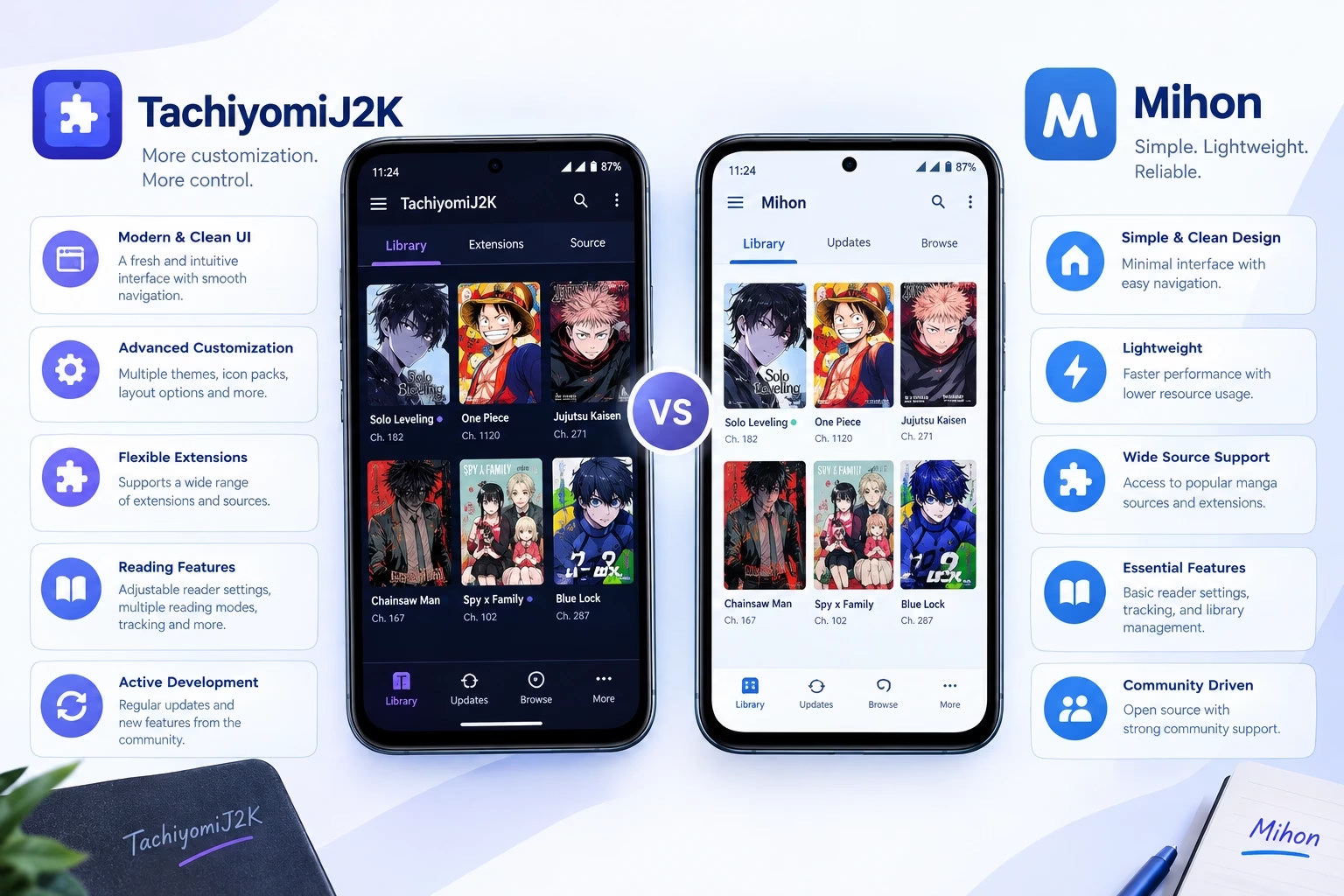
| Category | TachiyomiJ2K | Mihon |
|---|---|---|
| Purpose | Customization-first fork | Broadly considered the main active successor |
| Customization | Extensive | Solid, generally more standardized |
| Ease of Use | Slightly more involved | Generally simpler for new users |
| Library Organization | Flexible category system | Solid, well-supported organization |
| Reader Preferences | Deep customization options | Good defaults with reasonable customization |
| Extensions | Requires a repo added manually | Requires a repo added manually as well |
| Project Activity | Community-run; activity can vary | Generally the more actively developed option |
| Best For | Readers who like tweaking settings | Readers who want a widely supported, actively used app |
WHO SHOULD CHOOSE THIS? For TachiyomiJ2K: users who enjoy customization and fine-tuning. For Mihon: users who prefer a more straightforward, broadly supported experience. See our full Mihon guide for setup and features, or check the official Mihon GitHub repository directly for its current feature list and release notes.
Common TachiyomiJ2K Problems and Fixes
TachiyomiJ2K Is Not Installing
- Confirm your device meets the Android version listed by the project.
- Check that you have enough free storage.
- Make sure you’re installing from a source your device trusts, with “install from unknown sources” enabled for the app you used.
TachiyomiJ2K Extensions Are Not Working
- Check whether the extension needs an update.
- Confirm it’s been trusted after installing.
- Check whether the extension repo itself is loading correctly. Our extensions not working guide covers this in more depth.
Manga Sources Are Not Loading
- Refresh the source and check your internet connection.
- Confirm the extension is up to date.
- Check whether others have reported the same issue, since some sources add extra verification steps that can interfere with loading.
Backup Is Not Restoring
- Confirm the backup file isn’t corrupted or incomplete.
- Use a restore method compatible with how the backup was created.
- Expect partial restores if the backup came from a very different app version.
The App Keeps Crashing
- Clear the app cache.
- Check for a pending update.
- Confirm your device has enough free storage. If crashes happen specifically while loading a source, see our guides on bypassing Cloudflare errors and fixing error 404.
Is TachiyomiJ2K Still Working in 2026?
The original Tachiyomi project is no longer actively developed, which is part of why forks like TachiyomiJ2K and Mihon exist in the first place. Each fork operates independently, with its own maintainers and its own pace of updates, and that pace can slow down or pick back up without much warning on community-run projects.
TachiyomiJ2K may continue to work for many reading tasks, but its project activity, releases, and long-term support can change. Before choosing it as your main manga reader, check the current project information and compare it with other Tachiyomi-based alternatives.
Should You Use TachiyomiJ2K?
CHOOSE TACHIYOMIJ2K IF YOU:
- Enjoy customizing your reading experience
- Want more control over preferences
- Have a large manga library
- Like organizing manga carefully
- Are already familiar with Tachiyomi
CONSIDER MIHON OR ANOTHER ALTERNATIVE IF YOU:
- Prefer a simpler experience
- Don’t want to spend time adjusting settings
- Want to compare current project support
- Prefer a different interface
Neither choice is objectively better; it comes down to how much you value customization versus a simpler, more standardized setup. If TachiyomiJ2K doesn’t feel like the right fit after trying it, our Tachiyomi alternatives guide covers other options worth comparing.
Frequently Asked Questions
It’s a Tachiyomi-based manga reader for Android that focuses on library organization and reader customization, built on the wider Tachiyomi codebase.
Availability and development activity can change over time, so check the project’s current trusted source. Many Tachiyomi-based forks keep working for basic reading even during quieter development periods.
Learn how extensions work, browse or search a source, add manga to your library, organize titles into categories, and adjust reader settings to fit your reading habits.
It’s an Android app built on the Tachiyomi codebase, designed for reading manga through extensions you add yourself and organizing them in a personal library.
Extensions connect the app to specific manga websites. You install them from a repository, and each one lets you browse and read from that particular source.
It’s the catalog the app pulls available extensions from. Repo details can change, so check our Tachiyomi extension repo guide for the current, verified URL.
Check the project’s current trusted source for release information, back up your library first, and follow whatever update method is currently documented there.
Usually, yes, using a backup and restore process. What transfers can depend on the backup method and app versions involved, so check your library and settings afterward.
It can be, but its extra customization options mean there’s more to explore in settings than in a simpler app. Beginners who don’t mind that can still pick it up quickly.
TachiyomiJ2K leans further into customization and detailed preferences, while Mihon is generally considered the more streamlined, widely supported successor in the Tachiyomi ecosystem.
Final Thoughts
TachiyomiJ2K is best understood as a customization-focused branch of the Tachiyomi ecosystem, built for readers who want more say over how their library and reader behave. It may suit you well if you enjoy tweaking settings and already know your way around Tachiyomi-based apps.
Because it’s a community-maintained fork, development pace and availability can shift over time, so a careful setup and a quick check of current project information go a long way before you commit to it. Whether you end up sticking with TachiyomiJ2K or moving to something like Mihon, the extension and repo basics covered here carry over across the whole ecosystem.