
How to Fix Tachiyomi Extensions Not Working in 2026 — Complete Step-by-Step Guide
Opened Tachiyomi and found all your extensions broken, missing, or refusing to load manga? You are not alone. Tachiyomi extensions not working is the single most searched problem among manga readers in 2026, and it happens for very specific, fixable reasons.
This guide covers every working fix in order from fastest to most thorough. Most users are back to reading in under five minutes. Whether your extensions show a blank list, return errors, fail to install, or disappeared after an update, every case is covered below.
Why Are Tachiyomi Extensions Not Working in 2026?
Before jumping to fixes, understanding the cause decides which fix works fastest for you. Tachiyomi was officially discontinued in January 2024 after legal pressure from publishers. Since then, no official extension updates have been released. Extensions gradually broke as manga websites updated their own systems.
| Cause | What You See | Fix |
|---|---|---|
| Broken repo URL | Extensions tab blank or fails to refresh | Fix 1 |
| Outdated extension | Source loads but returns empty pages | Fix 2 |
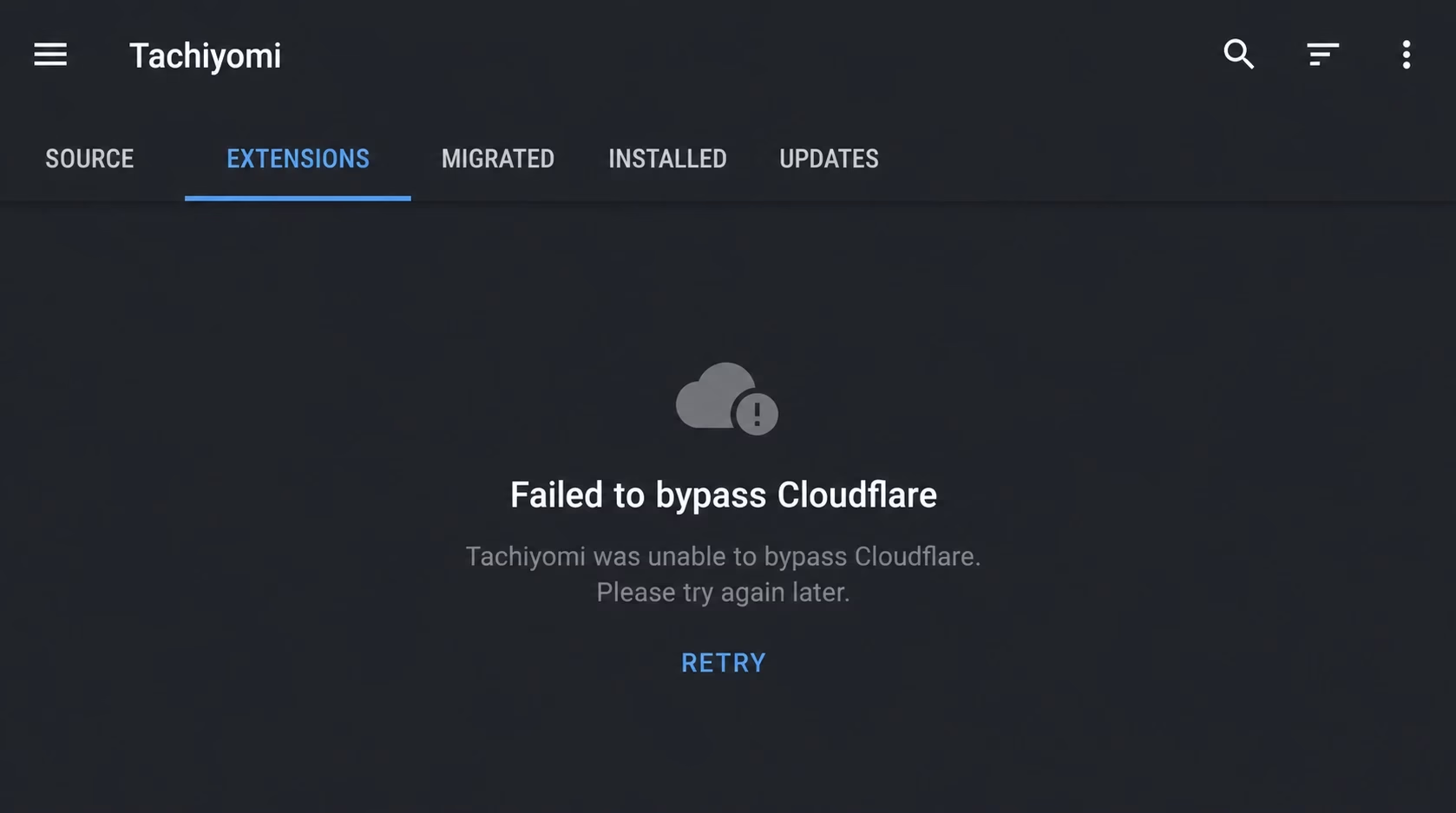
| Cloudflare block | “Failed to bypass Cloudflare” error | Fix 3 |
| Corrupted cache | Same broken data reloads after update | Fix 4 |
| Android permission reset | Tap Install, nothing happens | Fix 5 |
All Working Fixes for Tachiyomi Extensions Not Working (2026)
Work through these fixes in order. Fix 1 and Fix 2 resolve the problem for the majority of users dealing with tachiyomi extensions not working.
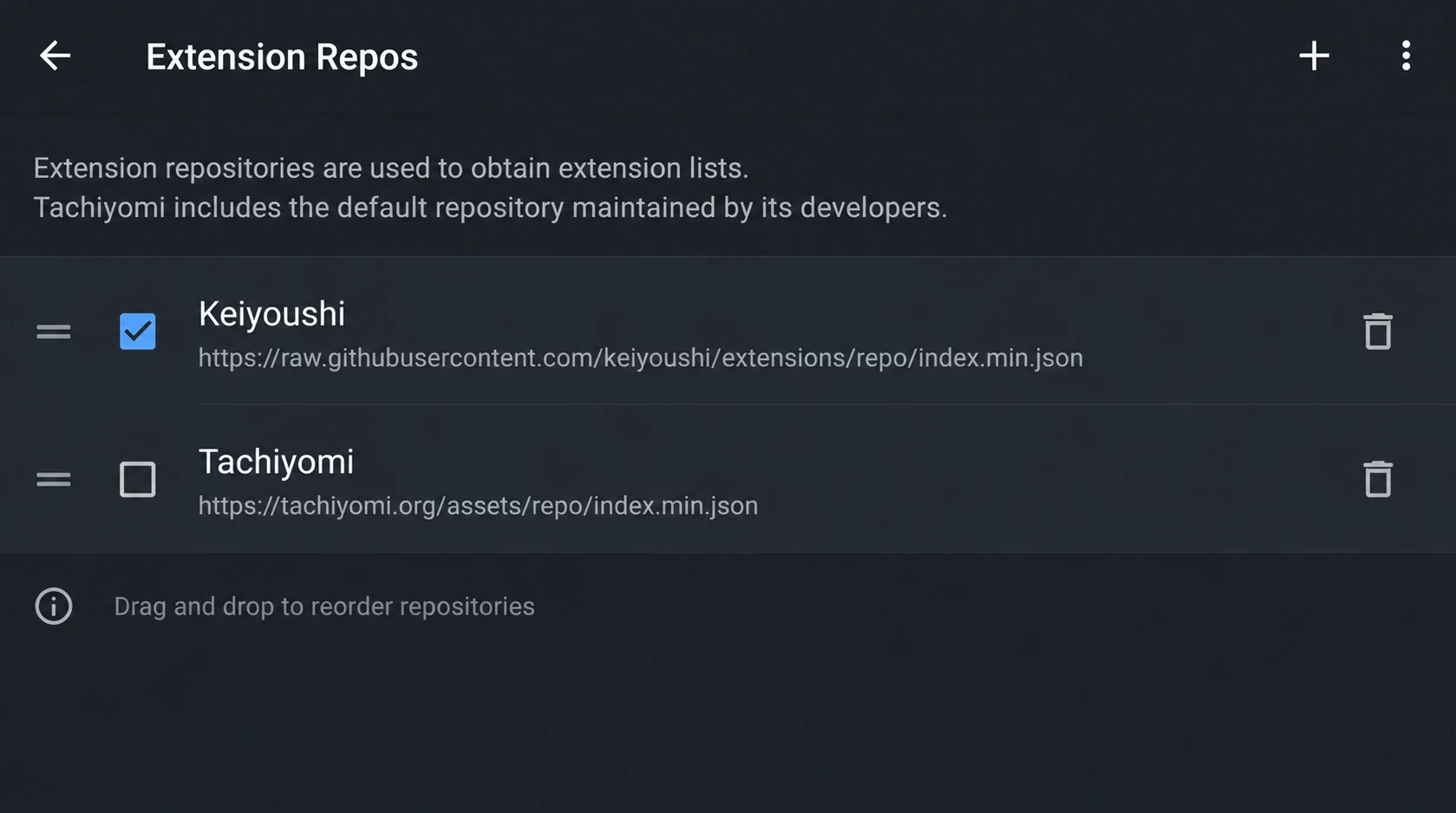
This is the most common fix in 2026. The original Tachiyomi extension repository is dead. If your Extensions tab shows a blank list or fails to refresh, your repo URL is the problem. The Keiyoushi repository is the community-maintained replacement: open-source, hosted on GitHub, and used by every Tachiyomi fork in 2026.
- Open Tachiyomi and tap More (bottom right corner), then Settings.
- Tap Browse, then tap Extension Repos.
- Delete any existing repo URLs shown. Old tachiyomi.org URLs no longer work.
- Tap the + button and paste this URL exactly:https://raw.githubusercontent.com/keiyoushi/extensions/repo/index.min.json
- Tap Add and go back to Browse → Extensions.
- Tap the refresh icon in the top right. Wait 20 to 30 seconds for the full list to load.
- Install any source you need. Tap the shield icon to Trust each extension after installing.
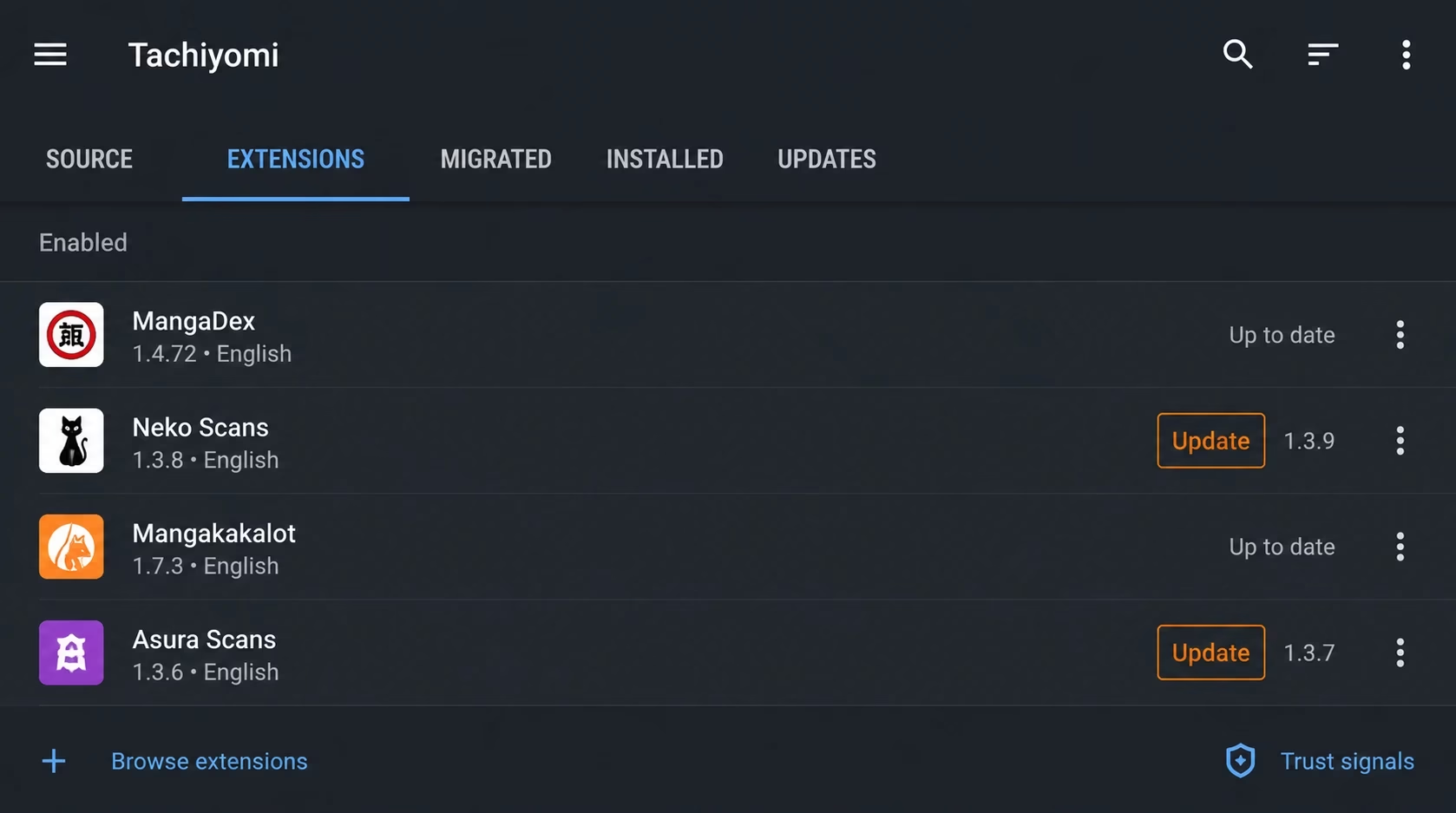
If only specific sources are broken while others work fine, those extensions are outdated. A fresh reinstall fetches the latest version that matches the current website structure. This is essential when tachiyomi extensions not working affects only certain manga sources.
- Open Tachiyomi and tap Browse in the bottom menu.
- Tap Extensions at the top of the screen.
- Look for extensions showing an Update button. These have newer versions available.
- Tap Update All if visible, or tap Update next to each broken extension individually.
- For extensions with no update but still failing: tap the name, tap Uninstall, then reinstall fresh.
- After reinstalling, tap the shield icon to Trust the extension. This is required before the source appears in Browse.
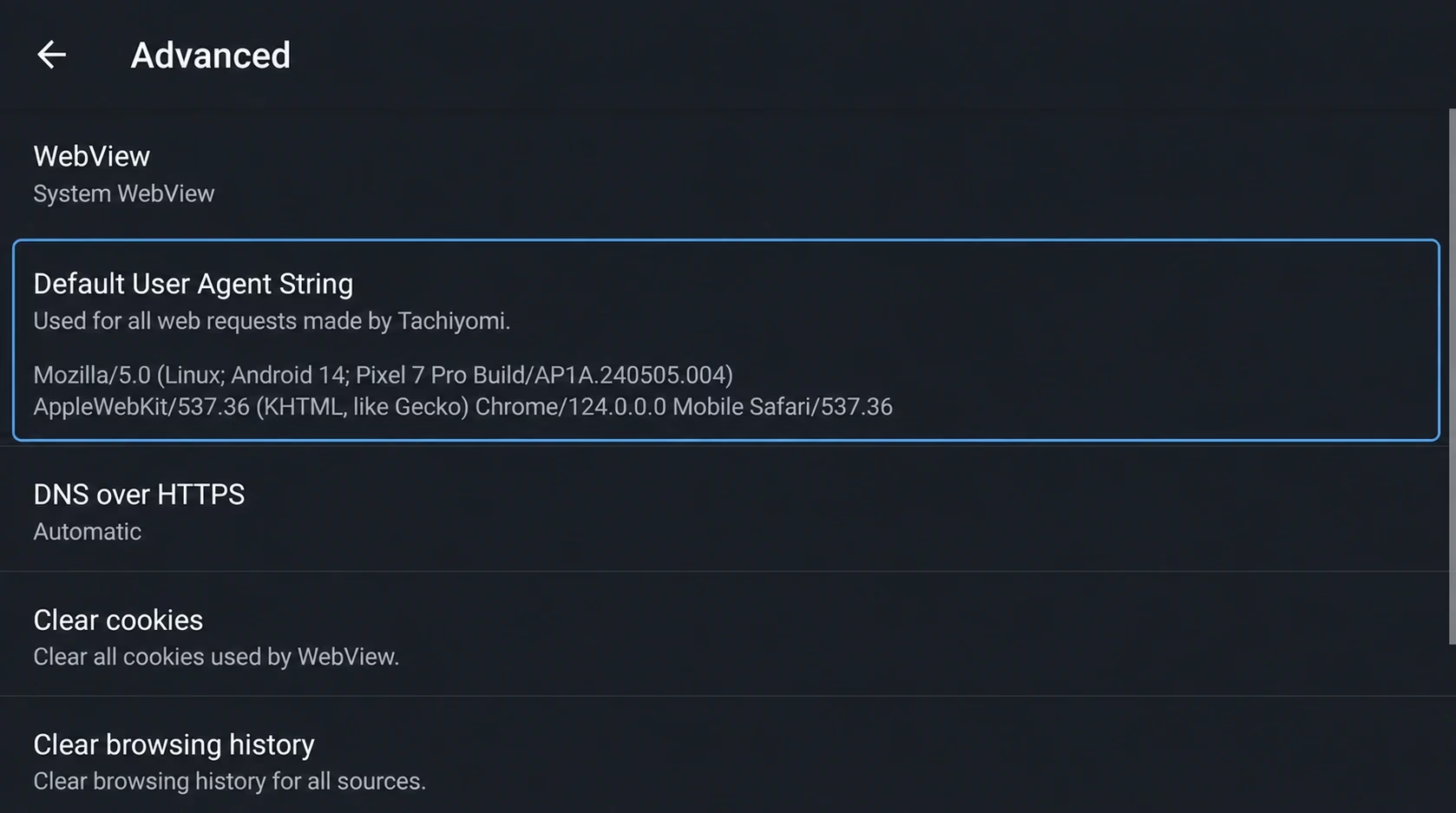
The error “Failed to bypass Cloudflare” appears when a manga source detects Tachiyomi’s default user-agent as automated traffic and blocks it. Replacing it with a real browser string bypasses this detection. This fix resolves tachiyomi extensions not working when Cloudflare protection is the culprit.
- Open Chrome on your Android phone and go to
chrome://versionin the address bar. - Find the line labeled User Agent and copy the full string. It starts with “Mozilla/5.0”.
- In Tachiyomi, go to Settings → Advanced → Default User Agent String.
- Delete the existing text and paste the Chrome user-agent you copied.
- Tap Save and completely close and restart Tachiyomi.
- Return to the source showing the Cloudflare error and try again.
If the error persists, the source uses a newer Cloudflare version requiring a WebView solution. Switching to Mihon resolves this, as Mihon includes updated Cloudflare bypass handling the original Tachiyomi never received.
Corrupted cached extension data can cause persistent failures even after extensions are updated. Clearing cache forces Tachiyomi to fetch everything fresh from the repo. When tachiyomi extensions not working persists after updates, this often helps.
- Go to your phone’s Settings → Apps (or Application Manager).
- Find Tachiyomi in the list and tap it.
- Tap Storage, then tap Clear Cache.
- Do not tap Clear Data. That erases your manga library completely.
- Return to Tachiyomi, go to Browse → Extensions, and tap the refresh icon.
If the tab still fails after clearing cache, create a backup first via More → Settings → Backup → Create Backup, then clear data and restore afterward.
On Android 13, 14, and 15, the permission to install apps from unknown sources must be granted per app. If reset by a system update, extension installations fail silently with no error message. This permission issue causes tachiyomi extensions not working installation problems.
- Go to Settings → Apps → Special App Access → Install Unknown Apps.
- Find Tachiyomi in the list.
- Toggle on Allow from this source.
- Return to Tachiyomi and try installing the extension again.
Some manga sources restrict access by country. If a source works for users in other regions but returns errors specifically for you, geographic blocking is the cause. This regional restriction is another reason why tachiyomi extensions not working happens for some users.
- Install a reliable free VPN. ProtonVPN Free or Windscribe Free both work without payment.
- Connect to a US or Japan server. Both have the widest manga source access.
- Open Tachiyomi and try the failing source again with VPN active.
- If it works with VPN on, the source is geographically restricted. Keep VPN enabled when using that source.
Which Tachiyomi Extensions Still Work in 2026?
Not all extensions are equally maintained. The following sources through the Keiyoushi repo have strong ongoing community support in 2026:
If your source keeps failing after updating, it may have been abandoned. The Tachiyomi alternatives page covers apps that support additional sources natively.
Complete Error Reference Table
| Problem You See | Most Likely Cause | First Fix |
|---|---|---|
| Extensions tab shows blank | Broken or missing repo URL | Fix 1: Add Keiyoushi repo |
| Specific extension stopped working | Outdated extension code | Fix 2: Update or reinstall |
| “Failed to bypass Cloudflare” | User-agent blocked as bot | Fix 3: Change User-Agent |
| Extension installs but source is empty | Corrupted cache data | Fix 4: Clear cache |
| Tap Install, nothing happens | Unknown apps permission off | Fix 5: Enable permission |
| Source worked before, fails now | Region lock added by site | Fix 6: Use VPN |
| All extensions disappeared at once | Old repo URL expired | Fix 1: Add Keiyoushi repo |
| Extensions update but still broken | Extension no longer maintained | Switch to Mihon |
Permanent Fix: Switch to Mihon or Another Active Fork
Every fix above is a workaround. The underlying problem, abandoned software against continuously updating manga websites, gets worse over time, not better.
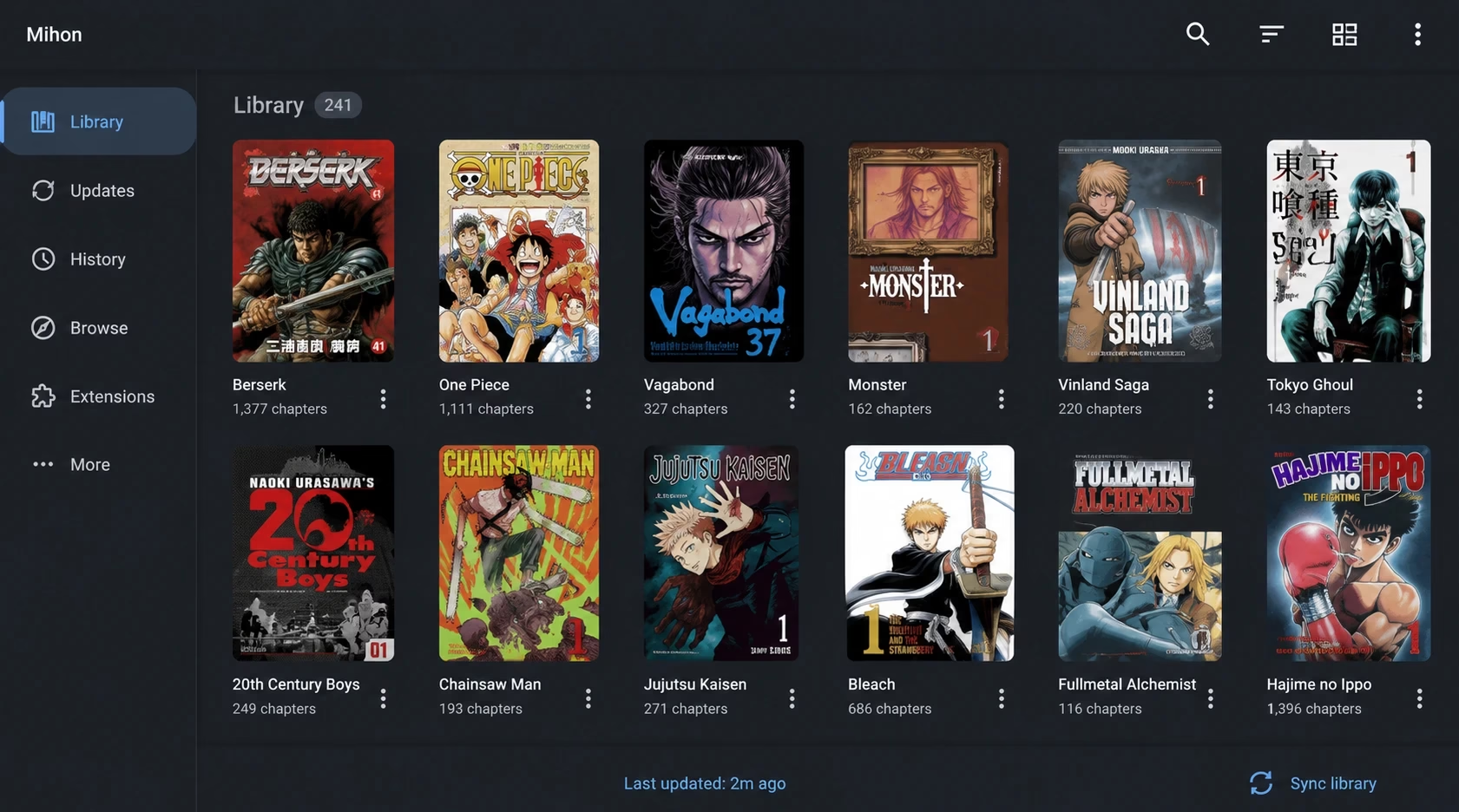
Mihon is the direct successor built by contributors from the original Tachiyomi team. Same extension system, same .tachibk backup format, same reading interface, with one critical difference: actively maintained in 2026.
If you prefer a different interface, the Tachiyomi forks guide covers TachiyomiSY, TachiyomiJ2K, TachiyomiAZ, and Komikku, all actively maintained with the same extension system.
How to Switch from Tachiyomi to Mihon Without Losing Anything
- Open Tachiyomi. Go to More → Settings → Backup → Create Backup. Save the
.tachibkfile to Downloads. Verify the file exists before continuing. - Download Mihon APK from the official GitHub releases page only, never from third-party APK sites.
- Install Mihon. Android will ask to allow installation from unknown sources. Allow it for your file manager only.
- Open Mihon. Go to Settings → Backup → Restore Backup. Select your
.tachibkfile. Your full library restores automatically: reading progress, categories, tracker connections all included. - Go to Settings → Browse → Extension Repos. Add the Keiyoushi repo URL. Install your sources. Tap the shield icon to Trust each one.
Frequently Asked Questions
The most common cause in 2026 is an outdated or missing extension repository URL. Add the Keiyoushi community repo in Settings → Browse → Extension Repos using this URL: https://raw.githubusercontent.com/keiyoushi/extensions/repo/index.min.json. After adding it, refresh the Extensions tab and update all available extensions. If all extensions disappeared at once, this is almost certainly the cause.
The extensions with the strongest active maintenance through the Keiyoushi repo in 2026 are MangaDex, MangaBuddy, Asura Scans, ComicK, Toonily, and MangaKatana. Extensions for smaller sources may stop working if their community maintainer steps down.
Mihon is the most recommended replacement in 2026, built by original Tachiyomi contributors, using the same extension and backup system, and actively maintained. For power users wanting source merging, TachiyomiSY is the best choice. All options are compared in the Tachiyomi forks guide.
Go to Settings → Advanced → Default User Agent String. Replace the existing text with a current Chrome browser user-agent string, found at chrome://version in Chrome on your phone. Restart Tachiyomi completely after saving. If the problem persists, switch to Mihon, which includes updated Cloudflare bypass handling.
Tachiyomi APK is Android-only and does not run natively on iPhone or iPad. The Tachiyomi for iOS guide covers the best alternative apps for iPhone with similar manga reading features.
Tachiyomi updates sometimes reset Extension Repo settings. Go to Settings → Browse → Extension Repos and re-add the Keiyoushi URL. Refresh the Extensions tab and reinstall your sources. Your manga library is not affected, only the extension list resets.
Summary: Fix Tachiyomi Extensions Not Working
Most tachiyomi extensions not working problems in 2026 come from one of three causes: a broken repository URL, an outdated extension, or Cloudflare blocking the source. For a quick fix: add the Keiyoushi repo URL in Settings, refresh extensions, and update everything available.
For Cloudflare errors: replace the default user-agent string with a Chrome browser user-agent from chrome://version. For a permanent fix: migrate to Mihon in five minutes. Your library transfers completely with one backup restore.
If you are also seeing HTTP errors when manga pages load, the Tachiyomi Error 404 guide covers those cases. For which fork to use after migrating, see the Tachiyomi forks comparison.