
Tachiyomi Old Version — Every APK from v0.12 to v0.15.3 (Safe Download Guide 2026)
Tachiyomi Old Version Every APK from v0.12 to v0.15.3 (Safe Download Guide 2026)
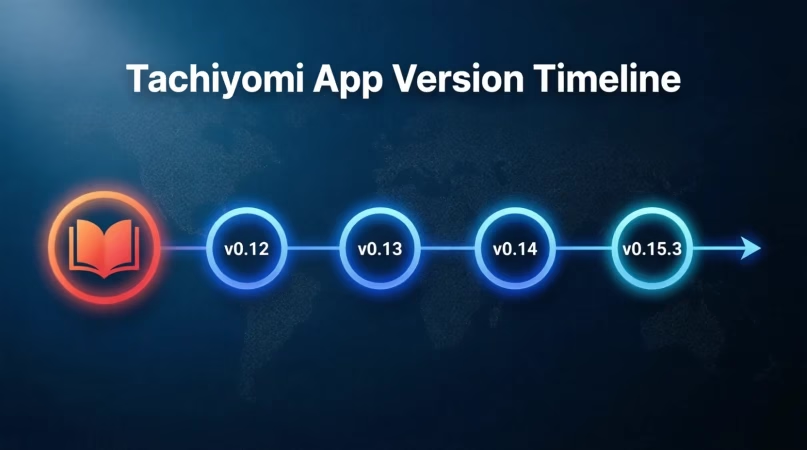
Not every user wants the latest build. Some Tachiyomi old version users are on older Android phones, some prefer an interface that was changed in newer releases, and some simply had a working setup they do not want to break. Whatever the reason, this guide covers every safe download source, what changed between versions, how to install without losing your library, and when switching to a maintained Tachiyomi fork makes more sense than staying on an old build.
Check out our guides for Tachiyomi on PC and Tachiyomi for iOS users too.
Why People Still Download Tachiyomi Old Versions
The original Tachiyomi shut down in 2024, but its APK files remain fully functional on Android. In 2026, thousands of users still actively seek out a specific Tachiyomi old version for very practical reasons, not nostalgia.
-
Compatibility Issues
Newer versions like Mihon require Android 8.0 or above. A large number of users, particularly in regions where older smartphones are still common, are still running Android 5 or 6. For these users, a Tachiyomi old version such as v0.13.x or v0.12.x is the only option that installs and runs without errors, since both support Android 5.0 and up. Switching to a newer fork is simply not possible on these devices. -
Feature Preference
Certain features were changed or removed as Tachiyomi evolved toward its final release. Some users preferred the exact settings layout, library sorting behavior, or extension management flow that existed in Tachiyomi 0.15.2 or Tachiyomi 0.14.7. If a specific version worked exactly the way they wanted, there is no practical reason to update, especially when the change breaks an established reading workflow. -
Stability on Low-End Devices
Older builds are significantly lighter on RAM and CPU. On phones with 2 GB of RAM or less, Tachiyomi old versions around v0.13.x load faster, scroll more smoothly, and use less battery than current Mihon builds, which carry a heavier UI layer and more background processes. For daily reading on budget hardware, the performance difference is noticeable immediately. -
Broken Extensions After Update
Extensions sometimes stop working correctly after a Tachiyomi update. When a new build changes how the app communicates with sources, certain extensions can break overnight, returning blank pages or failing to load chapters entirely. Rolling back to the last version where everything worked is often faster than waiting for an extension fix, particularly for sources that are not widely documented or actively maintained.
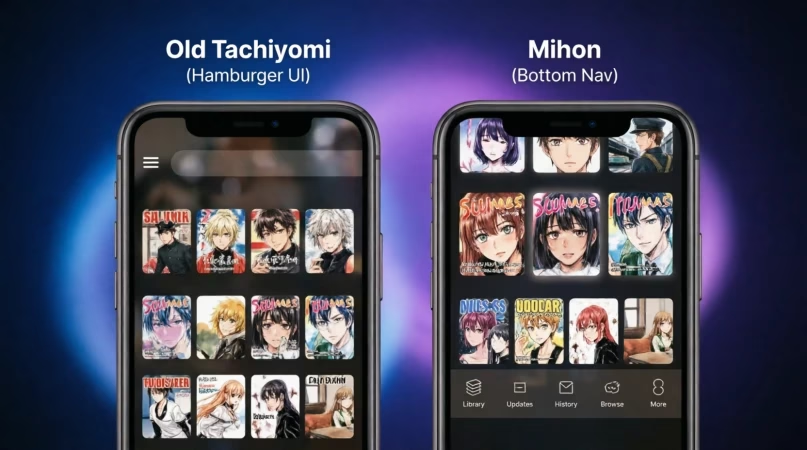
These are the common version families you will see. Pick the newest that runs smooth on your device, then step down if needed. All download links go to the official GitHub releases page.
| Version | Highlights & Download |
|---|---|
| v0.12.3 (0.12.x) 2022 | Stable on older devices, classic interface and behavior. Download v0.12.3 APK |
| v0.13.5 (0.13.x) 2023 | Better source handling, bug fixes, improved reader tweaks. Download v0.13.5 APK |
| v0.14.7 (0.14.x) 2024 | UI refinements, extension system updates, and quality-of-life improvements. Download v0.14.7 APK |
| v0.15.2 (0.15.x) 2024 | Minor bug fixes and improved performance on mid-range devices. Popular stable choice. Download v0.15.2 APK |
| v0.15.3 ⭐ (0.15.x) 2024 | Final official release, most stable build with smoother UI transitions and best extension support. Download v0.15.3 APK |
⭐ v0.15.3 = Last official Tachiyomi release | All builds on official GitHub
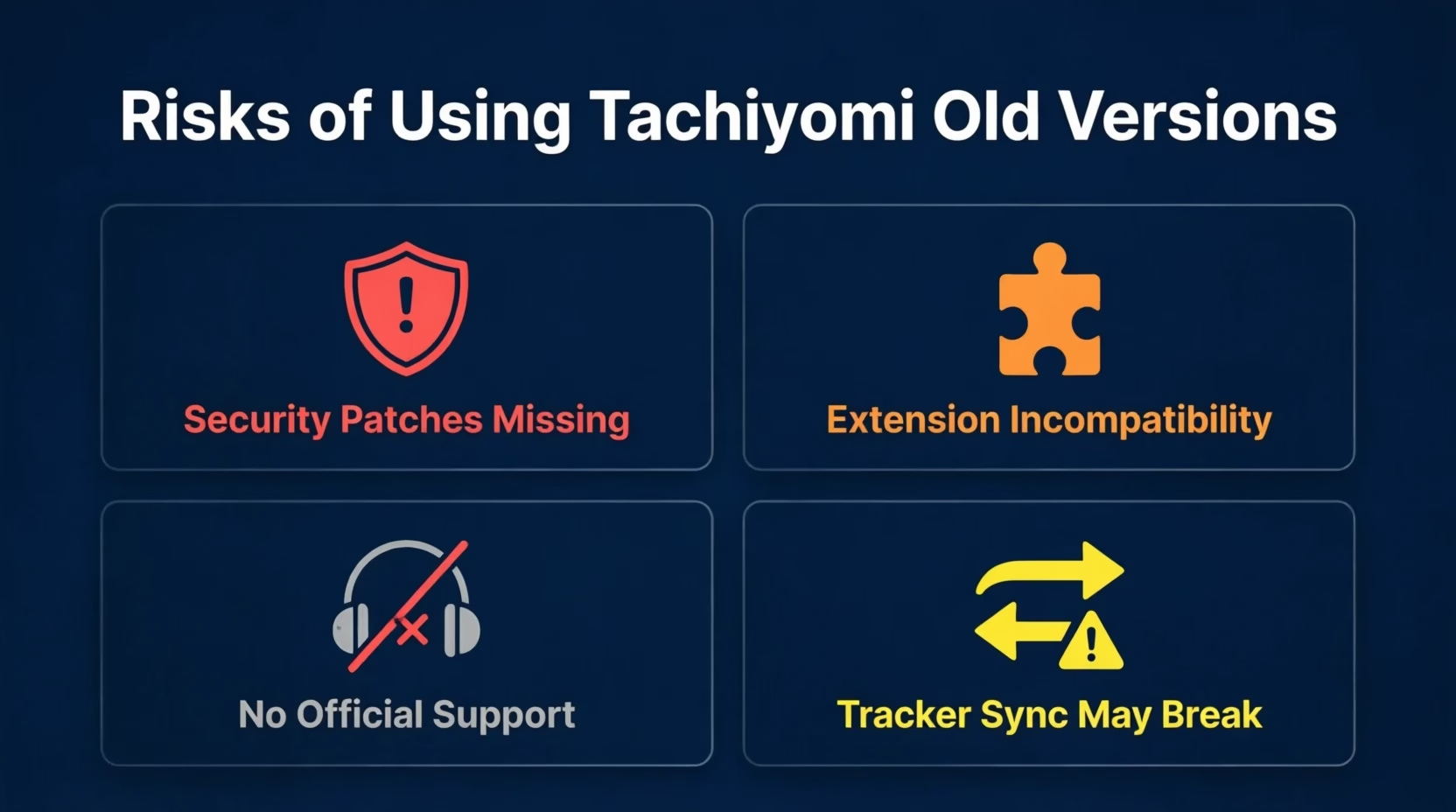
Risks of Using Tachiyomi Old Versions
While Tachiyomi old versions offer benefits, they come with limitations you should know before committing to one.
Security Patches Missing
Any Tachiyomi old version below v0.15.3 no longer receives security fixes. The risk is low for a read-only app, but if you use AniList or MAL tracker integrations that require login, a maintained fork is safer.
Extension Incompatibility
Older APKs may not support current Tachiyomi extensions. Versions before v0.14 may break with sources that updated their authentication or scraping method.
No Official Support
The original Tachiyomi team no longer monitors issues for old builds. Community forums are your only resource if something breaks, no patches will come.
Tracker Sync May Break
Tracker APIs (AniList, MAL) update regularly. Very old builds, pre-0.13 especially, may no longer authenticate properly, making progress sync unreliable or completely broken.
Where to Find Safe Tachiyomi APK Old Versions
The single safest place to download any Tachiyomi old version is the official Tachiyomi GitHub releases page. Every build published there is the exact original APK signed by the Tachiyomi team, nothing modified, nothing added.
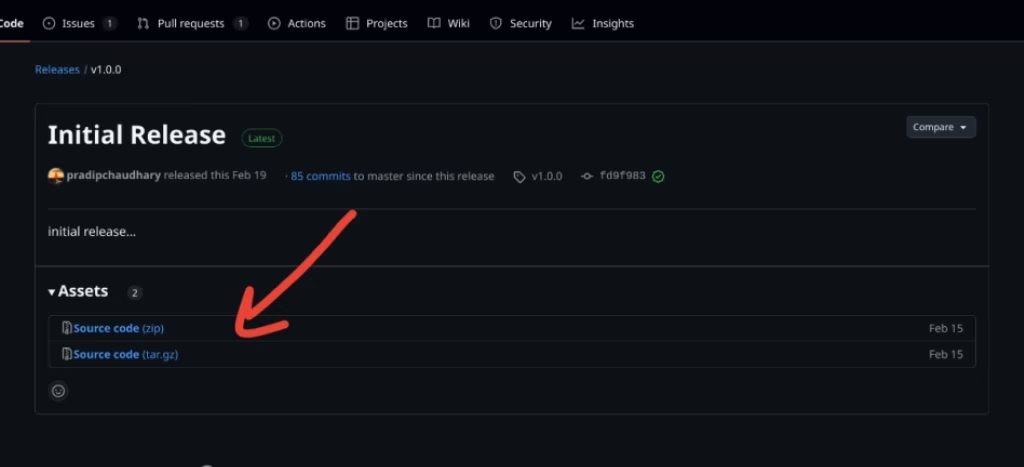
GitHub Releases (Best Source) Go to github.com/tachiyomiorg/tachiyomi/releases, scroll to the version you need, expand Assets, and download the .apk file. File size is listed, always verify it matches.
This Website (tachiyomitips.com) All APK links on this site point directly to GitHub releases. No third-party mirrors. No modified files.
Avoid Random Mirror Sites Sites offering “premium unlocked” or “mod” builds of any Tachiyomi APK old version are not safe. These often repackage the original APK with adware injected. If a site asks you to complete a survey before downloading, leave immediately.
How to Install Tachiyomi APK Old Versions (Android & PC)
Installing any Tachiyomi old version follows the same process as installing the current build. If you have already installed Tachiyomi before, steps 1 and 2 can be skipped.
-
Back Up Your Current Library First.
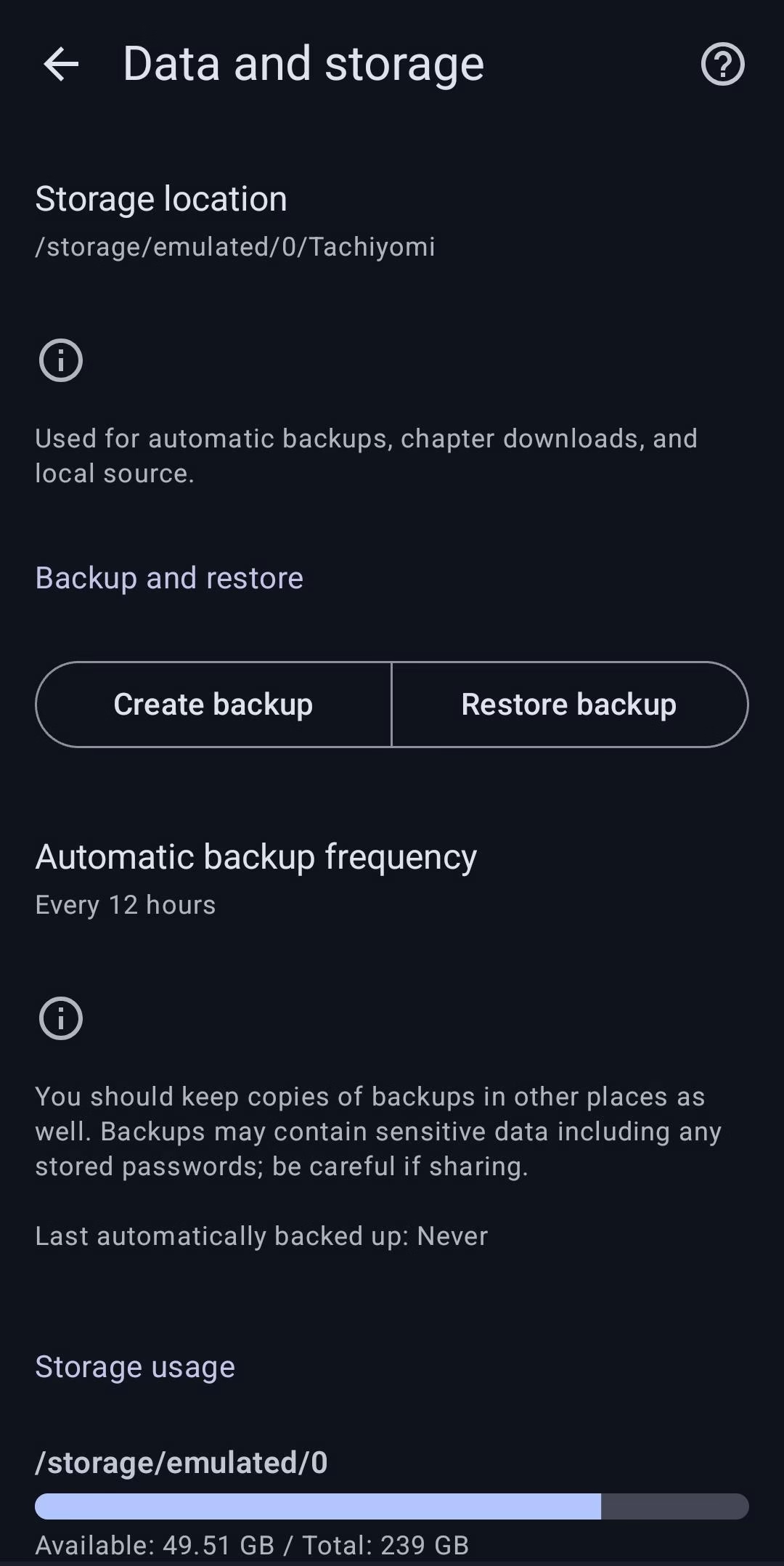
Open Tachiyomi, go to More → Settings → Backup → Create Backup. Save the.tachibkfile to your Downloads folder or cloud storage. This protects all reading progress, categories, and tracker connections. If the Tachiyomi old version you install has any issues, you can restore everything within minutes. -
Enable Install from Unknown Sources.
Go to Settings → Security → Install Unknown Apps and toggle it on for your browser or file manager. On Android 8 and above, find your browser app in the list and enable it individually. Standard for any APK outside the Play Store. -
Uninstall the Newer Version.
Android will not allow installing an older APK over a newer one with the same package name. Go to Settings → Apps → Tachiyomi → Uninstall. Your backup file is safe, it lives outside the app folder. -
Download and Install the Old Version APK.
Click any version from the table above, all links go to official GitHub releases. After download completes, open your file manager, locate the.apkfile, and tap to install. Follow the prompts and tap Install when asked. -
Restore Your Backup and Re-Add Extensions.
Open the freshly installed Tachiyomi old version, go to Settings → Backup & Restore → Restore Backup, and select your saved file. Your library, categories, and reading progress all return. Then go to Browse → Extensions and reinstall the sources you need. See our full Tachiyomi extensions guide for version-compatible repo links.
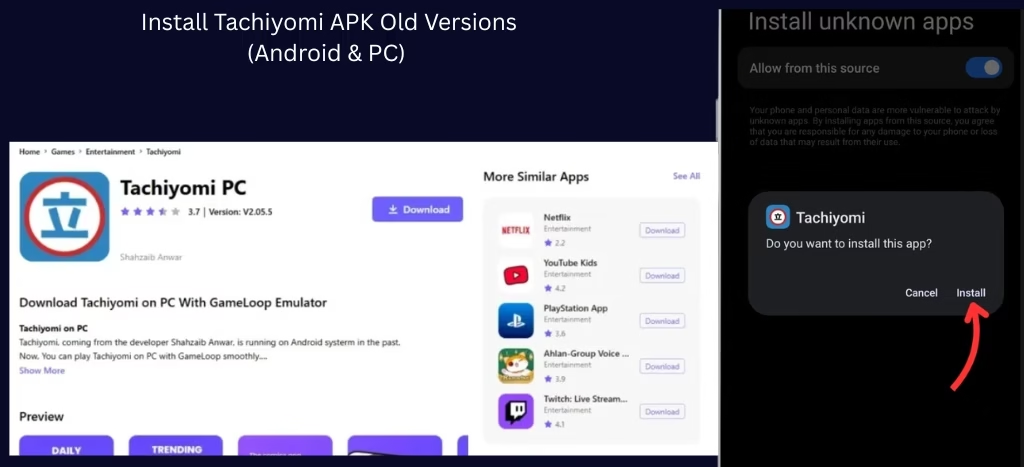
Installing on PC? You can sideload any Tachiyomi old version using an Android emulator. Download the APK, install BlueStacks, and drag-drop the APK file onto the emulator window. Full steps in our Tachiyomi for PC guide.
Troubleshooting Common Issues with Old Versions
While Tachiyomi APK old versions are generally reliable, you may encounter a few issues. Here is how to resolve them quickly.
Confirm the APK version supports your Android version. Versions before v0.13 need Android 5.0 minimum, anything older will crash immediately. Also confirm you fully uninstalled the previous version before installing the old one.
Some older APKs are incompatible with the current Keiyoushi extension repo API. If extensions refuse to load, try manually removing and re-adding the repo URL in Browse → Extension Repos. Check our extensions guide for version-compatible repo links.
Clear the app cache from Settings → Apps → Tachiyomi → Storage → Clear Cache. If performance issues continue, consider switching to a maintained fork like TachiyomiJ2K or Yokai, both are lighter on older hardware.
Go to Settings → Backup & Restore → Restore Backup and select your .tachibk file. Everything, reading progress, categories, and history, will return within seconds.
Old Version vs Fork: Which Should You Use in 2026?
A Tachiyomi old version is a frozen snapshot from 2022 to 2024. A Tachiyomi fork is actively developed, receives security updates, and keeps the same backup format, your library transfers instantly. Here is how to choose:
| Situation | Use Old Version | Use a Fork |
|---|---|---|
| Device runs Android 5 or 6 | ✓ Yes | — |
| Need a specific removed feature | ✓ Yes | — |
| Want security patches in 2026 | — | ✓ Yes |
| Extensions keep breaking | — | ✓ Yes |
| Want Material You (Android 12+) | — | ✓ Yes |
| 200+ titles, need source merging | — | ✓ TachiyomiSY |
If your device runs Android 7 or above and you have no specific reason to use a frozen old build, the safest move in 2026 is switching to Mihon (familiar experience) or TachiyomiAZ (exact original Tachiyomi interface on Mihon’s engine). Your entire library migrates via one .tachibk backup restore. Full comparison in our Tachiyomi forks guide.
Frequently Asked Questions
Yes, if you download from official GitHub releases. The risk is not the APK itself, it is the lack of security updates and the possibility of extensions breaking over time. For daily reading with no tracker logins, old versions are perfectly functional. For accounts linked to AniList or MAL, a maintained fork is safer.
The only source you should use is the official GitHub releases page at github.com/tachiyomiorg/tachiyomi/releases or this website, which links directly to those same files. Every version from v0.12.3 to v0.15.3 is available there.
Yes, as long as you create a .tachibk backup before uninstalling and restore it after installing the old version. The backup format is consistent across all Tachiyomi versions and all official forks.
Extensions move with their APIs. Versions before v0.14 may lose compatibility with sources that updated their scraping method. For best extension support with an old-style interface, TachiyomiAZ is a better choice than a frozen old build.
Tachiyomi 0.15.3 is the final official release, it fixed several crashes that appeared in v0.15.2 after an extension API change, plus minor reader stability improvements. If choosing between these two, always use v0.15.3. Tachiyomi 0.15.2 is only worth choosing for a specific compatibility reason with a particular source.
Some users prefer older versions for compatibility with older Android devices, to restore removed features, or because they had a stable working setup that a new update broke. Older builds also use less RAM, beneficial on low-end devices.
Final Thoughts
This sums up why some users prefer Tachiyomi old versions, and why we provide them for easy download. Whether you are seeking compatibility with an older device or a specific feature no longer available in newer releases, Tachiyomi old versions offer a reliable solution.
For Android 7 and above, switching to a maintained fork is always the smarter long-term choice. Mihon for the safest transition. TachiyomiAZ for the exact original interface. TachiyomiSY for large libraries. Check our full Tachiyomi forks guide for the complete breakdown.
Download from trusted sources, follow the installation steps above, and enjoy your manga reading experience, whichever version suits you best.